


















Blackmagic Camera Apple Watch controls are now part of the iPhone filmmaking workflow. The update gives solo creators a small remote monitor and record button on their wrist.
Blackmagic Design added the feature in its Blackmagic Camera for iOS 3.3 announcement. The App Store now lists the app at version 3.3.1, but Apple Watch support arrived with the April 3.3 update.
Blackmagic Camera Apple Watch Controls Explained
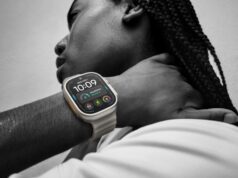
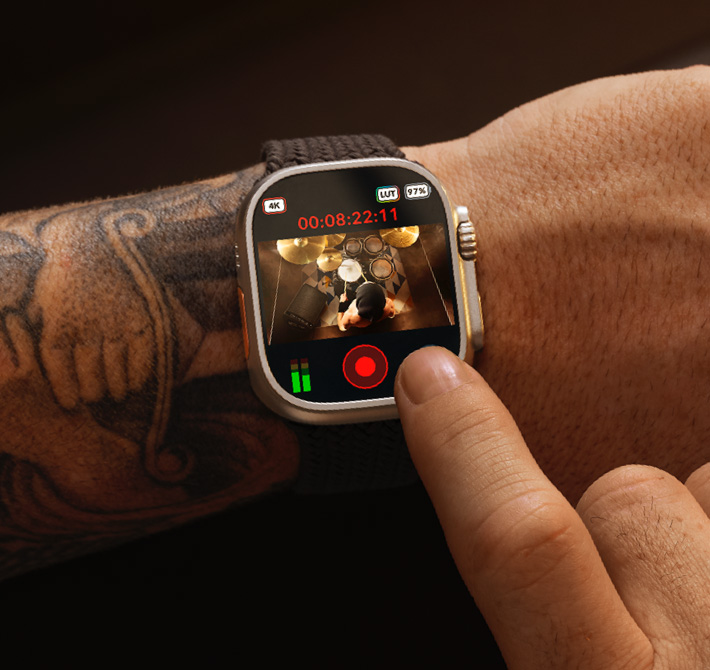
The Apple Watch becomes a tiny control surface for the free Blackmagic Camera app. Blackmagic says users can view framing, check audio, start and stop recording, and adjust exposure, focus, LUTs, lens selection and zoom.
That matters most when the iPhone is not easy to reach. A creator may have it on a tripod, a rig, a gimbal or a strange angle. Instead of walking back to the phone after every take, the watch can handle the basic camera work.
More Than a Watch Update
The update was not only about the Watch. Blackmagic also added ATEM camera control with Blackmagic Camera ProDock. The same update added Focus and Zoom Demand support with ProDock, full-screen portrait HDMI output and ProRes RAW stabilization on iOS 26.1 or later.
That list sounds technical, but the direction is clear. Blackmagic is pushing the iPhone closer to a proper production tool. The phone is still small, but the app keeps gaining controls that usually belong on larger camera setups.
It also fits into a larger creator-phone moment. Stronger phone cameras and compact creator gear are making small rigs more serious. We covered a similar shift with DJI’s teased dual-camera Osmo Pocket 4P, another sign that portable camera tools are growing up.
Who Can Use It
Compatibility still matters. Blackmagic’s App Store listing says the iPhone and iPad versions require iOS or iPadOS 17.0 or later. The device also needs an A12 Bionic chip or newer. The Watch app requires watchOS 10.6 or later.
The app remains free, which helps. This does not feel like another paid add-on for creators who already use an iPhone as a serious video camera. It feels like a small workflow upgrade that could make solo shoots less annoying.
The Apple Watch companion app is the part that feels most useful right away. It turns the iPhone into a camera you can place, frame and trigger without always standing behind it. For solo shooters, that can be the difference between getting the shot and fighting the setup.