



























Adobe just added Photoshop Markup to desktop Photoshop. The company says creators can draw on an image to show the model what they want. As a result, arrows, rough shapes, and selected areas can steer an edit when a text prompt is too vague.
Adobe’s newsroom post describes Markup as a way to “select areas to recolor, sketch arrows to indicate position, or brush in rough shapes to suggest new elements.” Meanwhile, Adobe Help says the text and brush markup tools live inside Prompt to Edit. Creators pick a Gemini AI model from the model picker, then add notes or marks on the image. Help also recommends high-contrast colors such as red and electric blue for those marks.

What else arrived with Photoshop Markup
Instruct Edit with Masks, powered by Firefly Image 5, is the other prompt-based control in the same drop. Adobe says the model now reads the full image, so a prompt can open closed eyes or place a hat on one person. Unmasked areas stay untouched, including faces, logos, and brand assets.
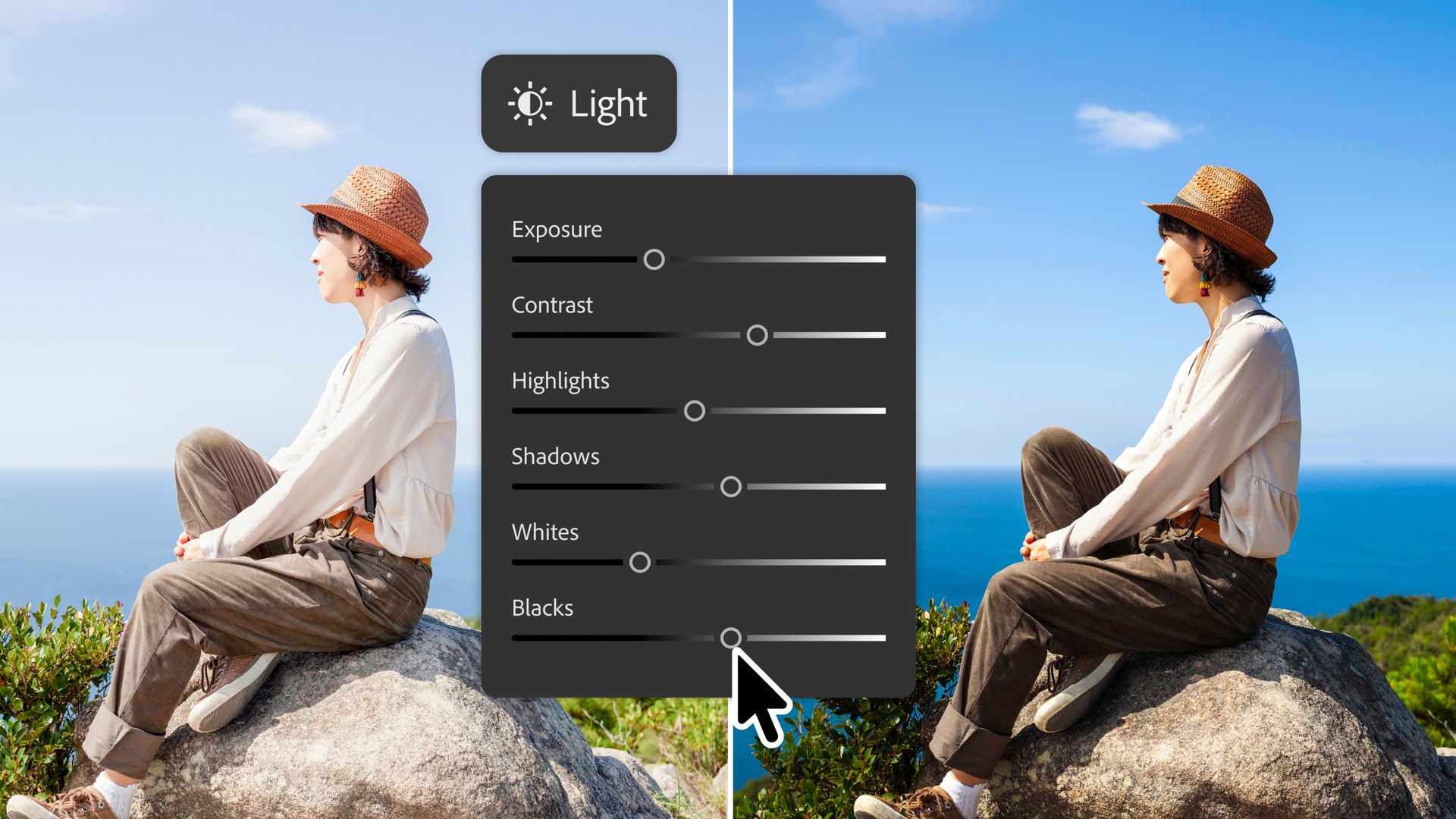
The same update also adds a Light Adjustment Layer. Exposure, contrast, highlights, shadows, whites, and blacks now sit in a non-destructive layer. Adobe says that delivers Camera Raw-level lighting without leaving the Photoshop layers stack.
An optional AI workspace, still in beta
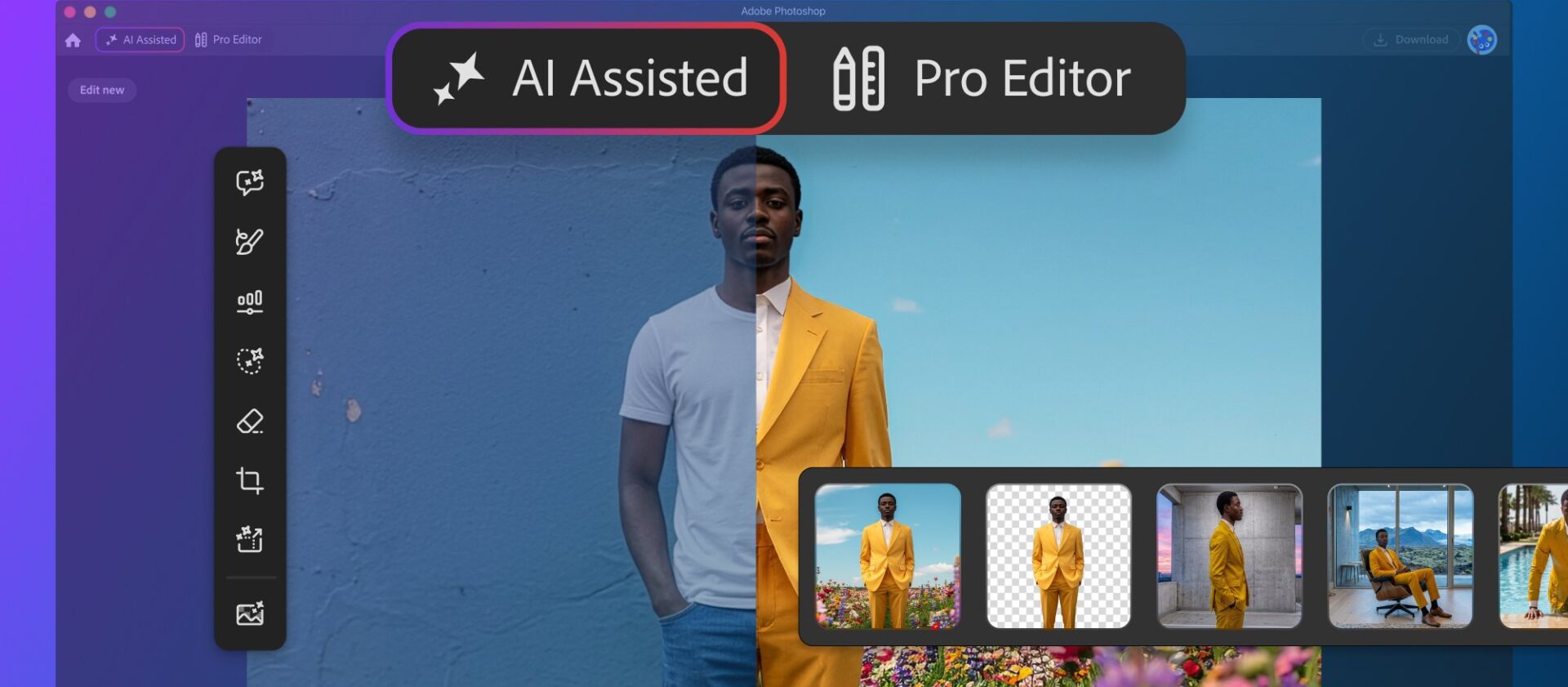
Adobe is also shipping AI Assisted Editor in beta. It groups Prompt to Edit, Remove Background, Generative Expand, the Remove Tool, Generative Fill, Generative Upscale, and AI Markup behind a natural-language bar. Prompt to Edit also stays in the Pro Editor Contextual Task Bar. Every result lands as a generative layer, so the edit stays non-destructive.
Two more workflow extras round out the drop. Dynamic Text now follows any custom shape or path. A dockable Stock panel puts more than 900 million Adobe Stock assets inside Photoshop, according to Adobe. Adobe Help lists the desktop package as the August 2026 release, version 27.10.
This prompt-and-draw layer sits on top of Adobe’s earlier Firefly work. Tech My Money previously covered how the Firefly AI Assistant moved into Photoshop, Premiere, and Illustrator. Rival suites are pushing similar on-device helpers, including Apple Creator Studio’s AI tools across Final Cut Pro, Logic Pro, and Pixelmator Pro. Photoshop Markup is Adobe’s bid to make those AI edits point-and-draw instead of prompt-only.