


























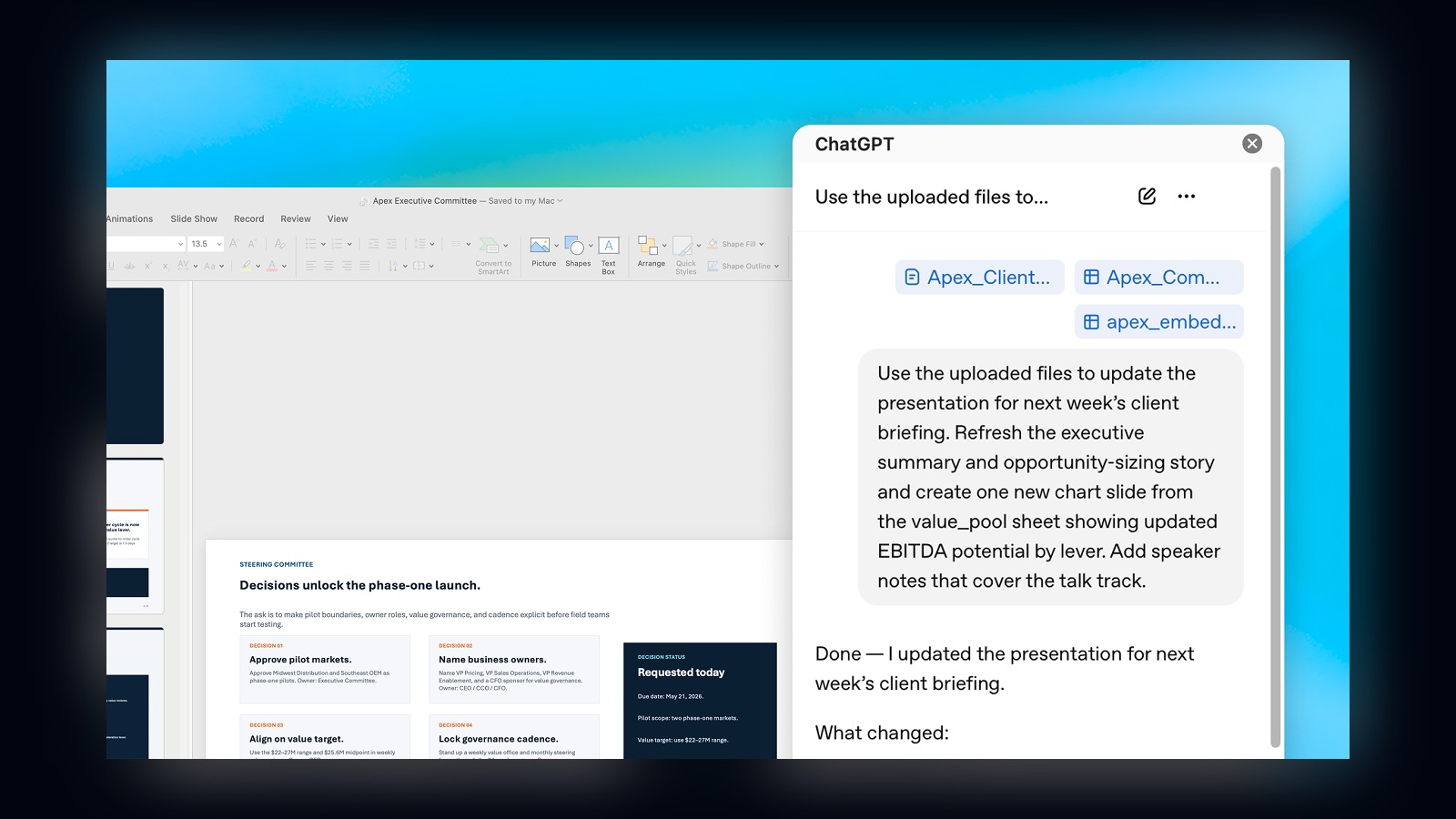
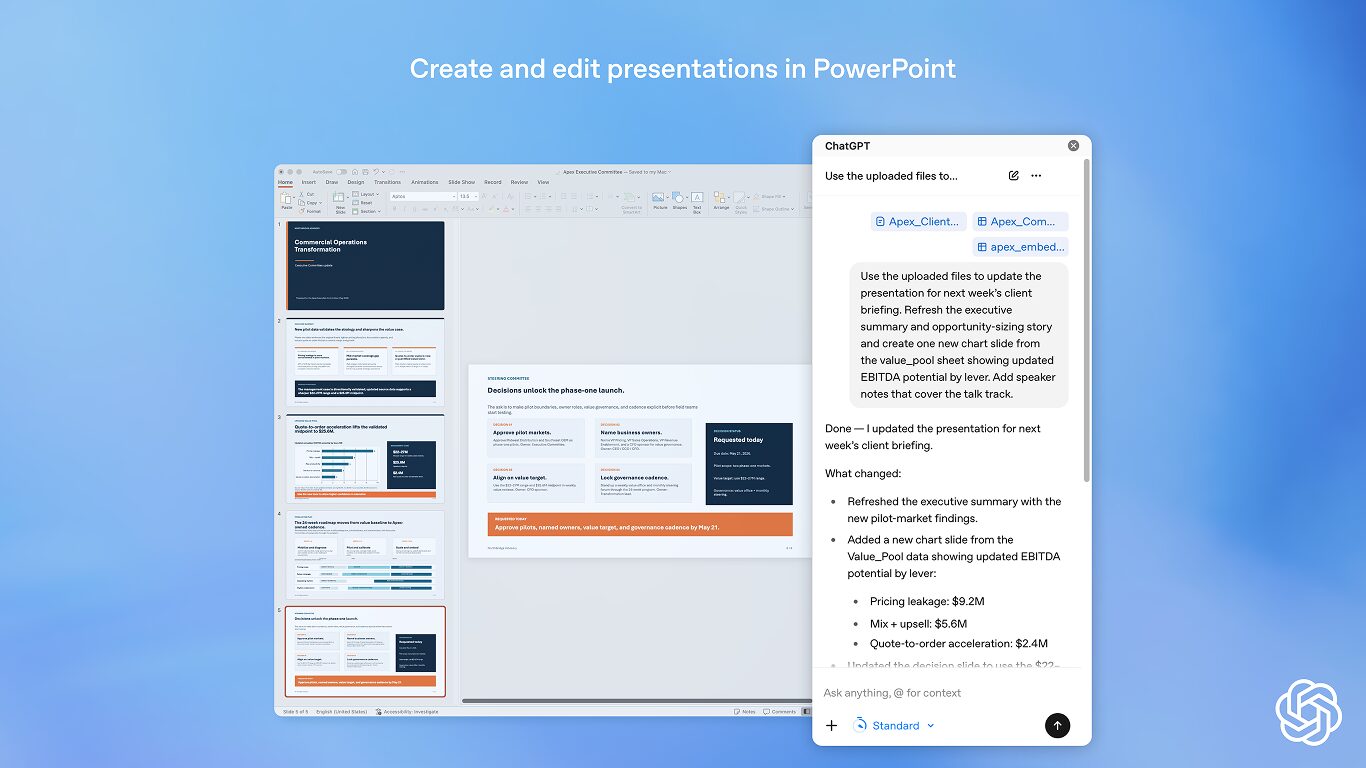
ChatGPT PowerPoint support is now in beta. OpenAI is moving its slide-building tools from the chat window into Microsoft’s presentation app. The add-in can create slides, update decks, turn source material into presentation-ready content, and polish copy inside PowerPoint.
The add-in appears in Microsoft Marketplace as ChatGPT by OpenAI. Microsoft lists it for Excel and PowerPoint. PowerPoint still carries the beta label. Users open the Office Add-in sidebar, then sign in with the OpenAI account tied to their plan.
What It Can Do
OpenAI says users can start from notes, prompts, documents, spreadsheets, images, or an existing deck. Then they can ask ChatGPT to add a section, rewrite slide text, tighten hierarchy, create chart slides from tables, update speaker notes, or summarize the story of a deck.
That matters because presentation work often sits between research and communication. You may already have the numbers, notes, or account files. However, turning those into a clean board update or client deck usually takes another round of rewriting. ChatGPT is trying to sit in that messy middle.
The Beta Warnings Matter
OpenAI and Microsoft both keep caution tape around this. The Marketplace listing says ChatGPT can read and make changes to a document. It can also send data over the internet. Microsoft says PowerPoint output may need cleanup, especially with charts, animations, complex templates, and custom fonts.
That is the right framing. AI presentation tools can save time. Still, they can bend a number, flatten a nuance, or remove a detail you meant to keep. For the same reason, our recent look at Google’s Gemini Spark agent treated agentic tools as useful helpers, not magic autopilots.
Who Gets It
The beta reaches ChatGPT Business, Enterprise, Edu, Teachers, and K-12 users globally. OpenAI also lists ChatGPT Free, Go, Plus, and Pro users. Access can still depend on plan, region, workspace settings, admin controls, and the Microsoft 365 environment.
For now, ChatGPT PowerPoint looks most useful for people who already live in decks. Analysts, marketers, teachers, founders, and executives can use it to move faster from rough outline to readable slide story. It will not replace judgment, but it can shorten the first-draft grind.