























A PS5 system software update is required before you can play Grand Theft Auto VI, PlayStation Support US said. If you’re setting up the game, check for the console update before launching it. PlayStation lists GTA VI’s PS5 release as midnight local time on November 19, 2026.
The support account urged players to download the update ahead of launch. If the game is already available where you live, the requirement still applies before you play. The notice gives no firmware version or file size for the required update.
How to install the PS5 system software update
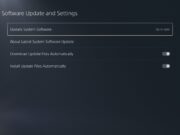
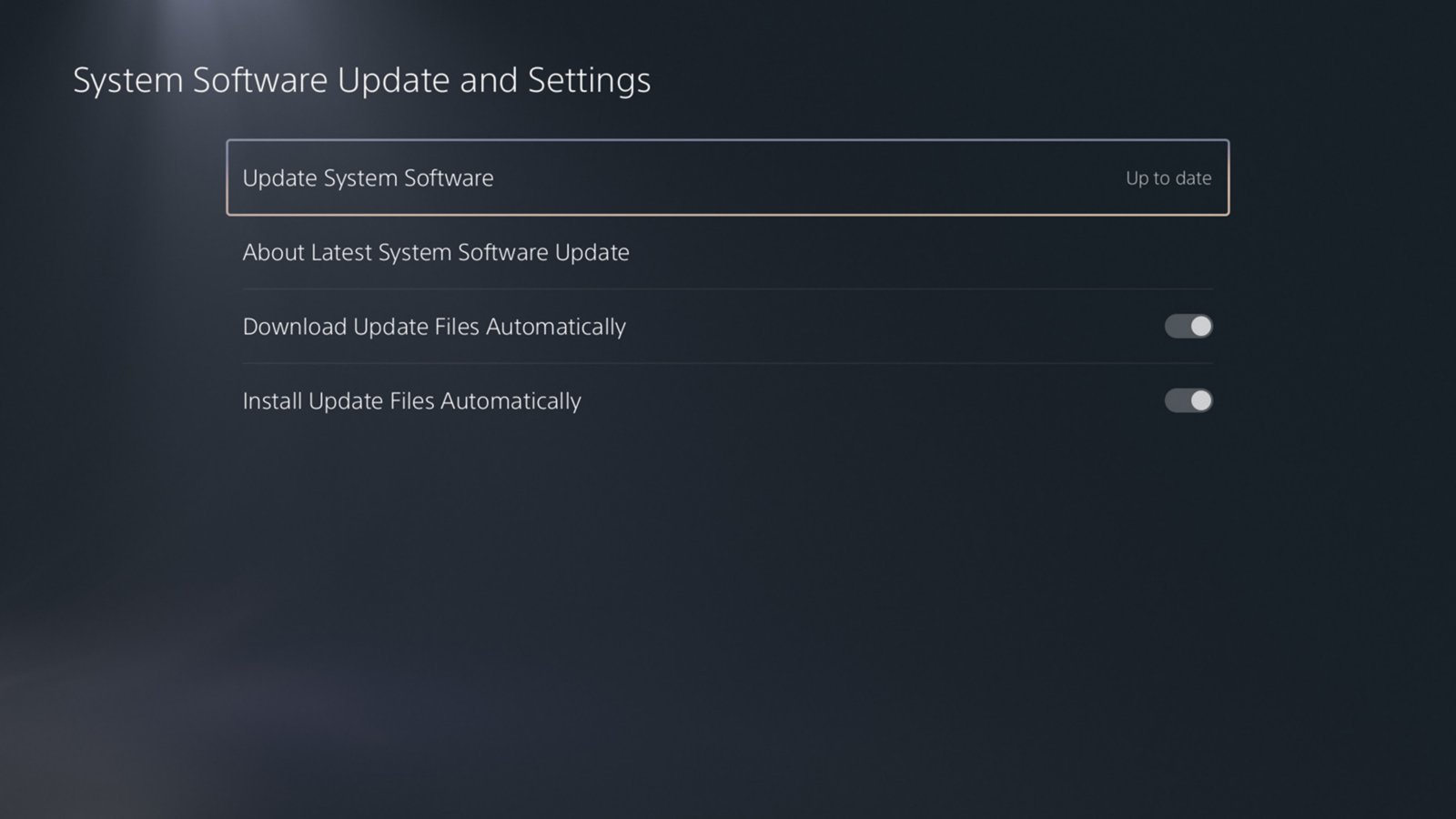
From the PS5 home screen, open Settings, then go to System > System Software > System Software Update and Settings. PlayStation’s instructions say you’ll see Update Available if there is a newer version. Select Update System Software to install it. The screenshot above shows where to find that option. If you see Up to date, as in the screenshot, the console is already reporting that it has the latest system software available to it.
In the same menu, you can also turn on Download Update Files Automatically and Install Update Files Automatically. PlayStation lists both settings in its GTA VI launch checklist. Installing a console update and downloading the game are separate steps, so a completed GTA VI download is a good time to check the console’s update status.
Which firmware version does GTA VI require?
The PS5 release notes list 26.07-14.23.00 as the latest version and describe security fixes. The support notice gives no build number, and the release notes don’t identify this version as the one required for GTA VI. Use the update menu to check what your PS5 offers.
If the system update stalls, press the PS button on your controller to open the control center, then select Downloads/Uploads. Highlight the system software download, choose View Error Info, then select Try Again.