

























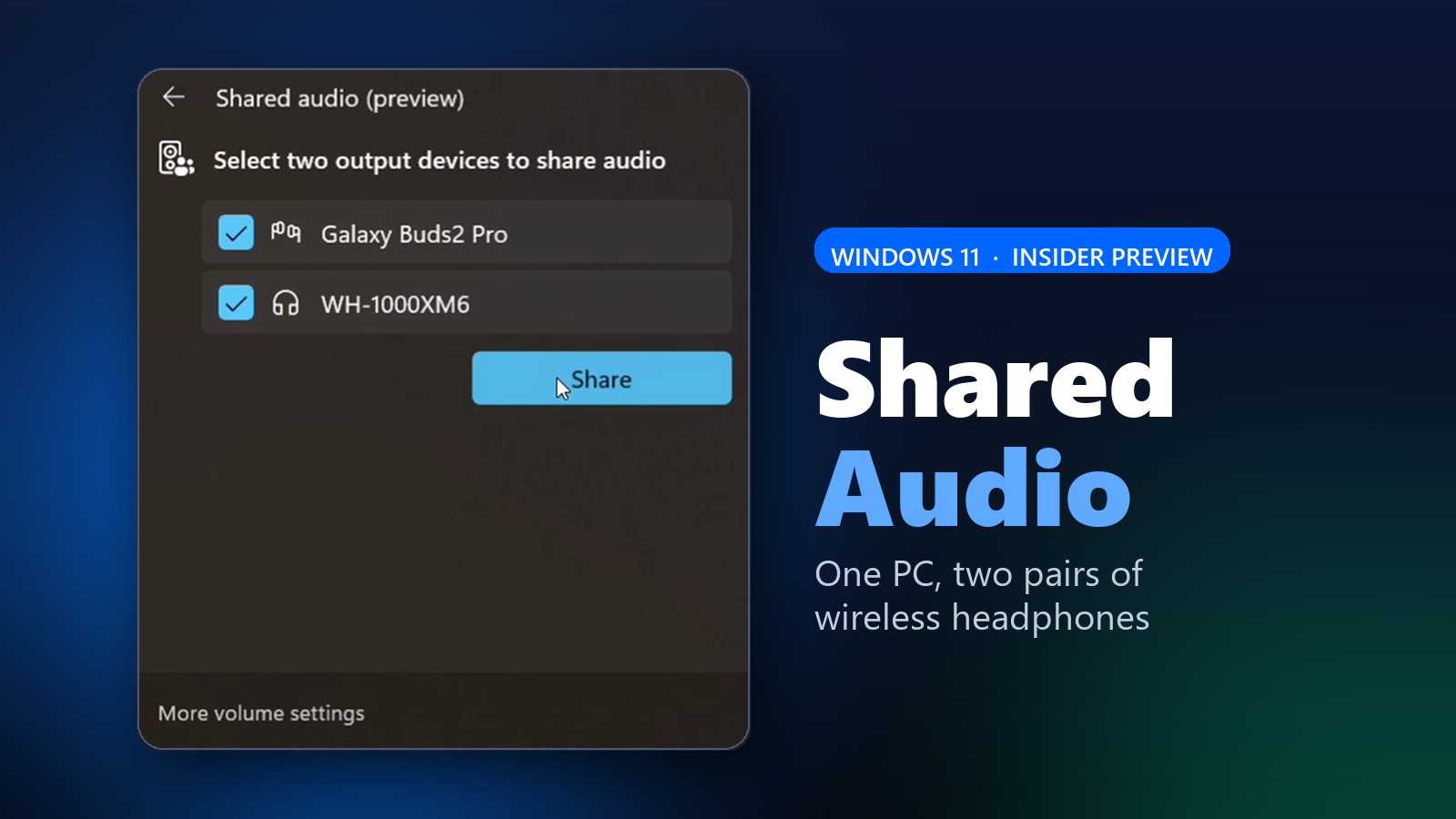
Windows 11 is testing a small but genuinely useful trick. A new feature called Shared audio lets one PC stream the same sound to two wireless accessories at once. As a result, two people can watch a movie or listen to music together without splitting a single pair of earbuds. Microsoft is rolling it out now as an Insider preview.
The feature runs on Bluetooth LE Audio broadcast technology. In short, your PC sends one audio stream to two paired devices in parallel. Therefore, both listeners hear the same thing at the same time, with no cables and no extra app.
How Shared Audio Works
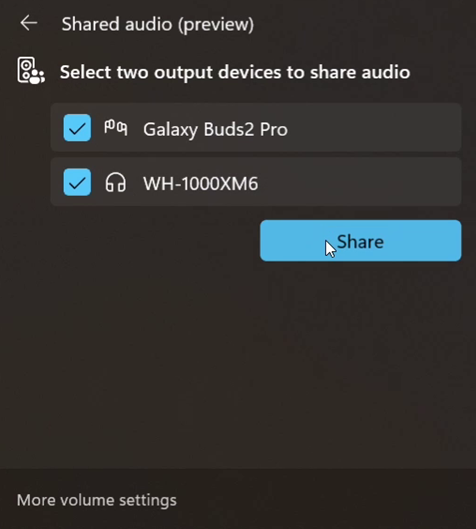
Microsoft kept the setup simple. First, you pair and connect two compatible accessories to your PC. Next, you open Quick Settings from the taskbar and tap the Shared audio tile. Then you pick the two devices and select Share. To stop, you just hit Stop sharing. In other words, it feels closer to joining Wi-Fi than digging through old audio menus.
What You Need To Use It
There are real limits, though. For now, Shared audio only works on select Copilot+ PCs. That list includes Surface Laptop and Surface Pro models with Qualcomm Snapdragon X chips, plus Samsung’s Galaxy Book4 Edge, with more Galaxy Book5 machines coming soon. Your PC also needs current Bluetooth and audio drivers.
The accessories matter just as much. Because the feature relies on LE Audio, classic Bluetooth headphones will not work. However, supported gear already includes Samsung’s Galaxy Buds3 and Buds3 Pro, Sony’s WH-1000XM6, and ReSound and Beltone hearing aids. In most cases, you will also need the latest firmware from the manufacturer’s app.
For now, this stays inside the Windows Insider program with no general release date. Still, it is a clear sign of where Windows audio is heading. It also follows a run of smaller quality-of-life tweaks, much like the recent Windows 11 Start menu personalization controls. If you own one of the supported Copilot+ PCs, you can try Shared audio today.