























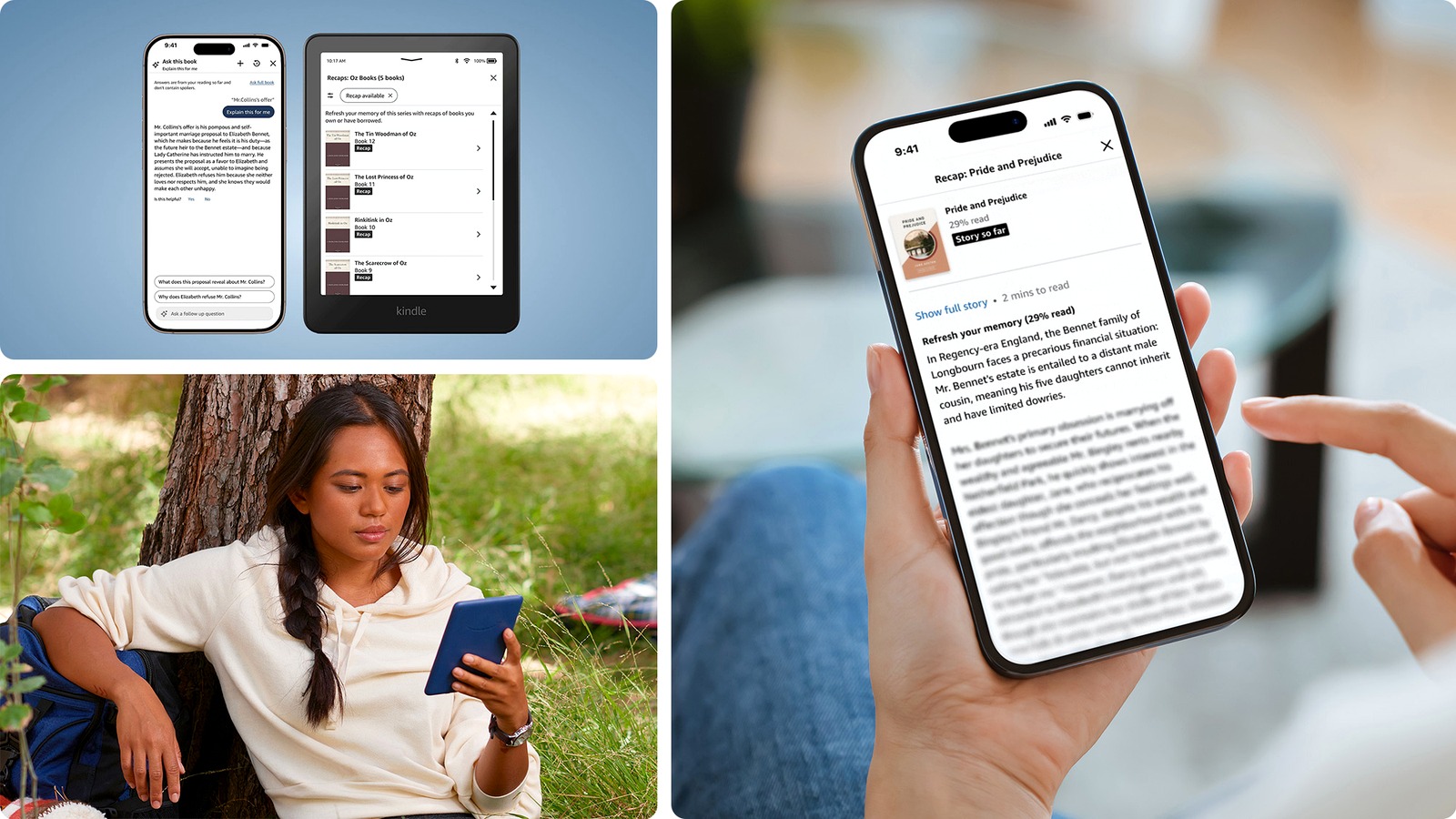
Amazon’s Kindle “Story So Far” feature is finally moving from promise to real reader tool. The company says U.S. customers can now use the catch-up option on Kindle devices and the Kindle iOS app. It works across thousands of supported English-language ebooks.
The feature builds on Kindle Recaps, according to Amazon’s own announcement. Instead of summarizing a whole book or series, Story So Far gives readers a refresher up to their current stopping point. That should help if you paused a novel for weeks or returned to a long fantasy series after a break.
How Story So Far works
Amazon compares Recaps to the “Previously on…” segment before a TV episode. Story So Far narrows that idea to the exact book you are reading. Amazon says it can refresh storylines, character arcs, and important plot details without jumping ahead of where you stopped.
To check whether a book supports it, press and hold a title in the Kindle Library. Then look for the “Read recap” button. If a book is already open, open the recap from the three-dot menu.
Amazon says the feature works with purchased and borrowed books. However, only eligible titles support it. This is not a switch for the whole Kindle catalog yet. Amazon says Story So Far covers thousands of popular fiction titles, which means some books will still show normal Recaps or no recap option.
The iPhone app gets it before Android
The rollout also has a platform split. Kindle devices and the Kindle iOS app get Story So Far in the U.S. Amazon’s separate “Ask this Book” feature currently runs on Kindle iOS. Amazon plans to bring that Q&A tool to Kindle devices and the Android app later this year.
For readers, the best use case is simple. If you bounce between several books or abandon one for a while, this can save time without forcing a reread. It could also help with sprawling series that have too many names and plot threads to track.
That makes the feature feel less like a chatbot and more like a reading utility. Still, the caveat is trust. A recap tool only works if it stays accurate and avoids spoilers. Amazon says the feature aims to stay spoiler-free, but readers will learn quickly which books and genres it handles well.
For now, Story So Far is another sign that Kindle is becoming more active around the text. The device is no longer just a quiet screen for turning pages. It also continues a long Kindle app evolution that includes older changes like Amazon’s Android Kindle app redesign years ago.