






















To switch GTA 6 camera views, hold Down on the D-pad and tap Square on PS5 or X on Xbox Series X|S. In the November 19 launch version, the shortcut cycles through three camera positions. Rockstar’s settings guide also points to a Camera tab for changing how the game frames your character on foot and in vehicles.
Switch GTA 6 camera views without pausing
Keep Down held while you tap the face button. The menu highlights the camera you’re using, so you can cycle through Camera 1, Camera 2 and Camera 3 before you let go. How to Video Game’s PS5 recording shows the shortcut on foot and in a car. GamesRadar’s walkthrough gives the Xbox equivalent.
The three choices adjust the view behind the character or vehicle. For example, you can try a higher camera if you want to see more of the road ahead. The camera menu also has a Cinematic option. On PS5, hold Down and press Options to turn it on. Hold Down again to leave it.
How to set different camera heights
For a change you can make from the menus, pause the game, select Settings, then open Camera. Use Height (On Foot) for walking and Height (All Vehicles) for vehicles. A transcription of recorded settings shows three choices for each. Because they’re separate, you can leave one alone while changing the other.
The Camera tab also has Comfort options. In the PS5 recording, you can turn Camera Shake off or lower Camera Bob, which affects the movement of the view while walking, running or swimming. If you change a setting and prefer the original behavior, use the restore options shown at the bottom of the settings screen.
Can you play GTA 6 in first person?
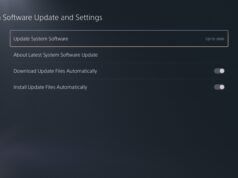
At launch, the game uses third person for normal play and offers first-person views in specific situations. The three standard views all keep the camera outside your character. To compare them, cycle through the choices while standing still, then repeat from a parked car. If you’re setting up the PS5 version, check for the PS5 system software update before you launch the game.