


























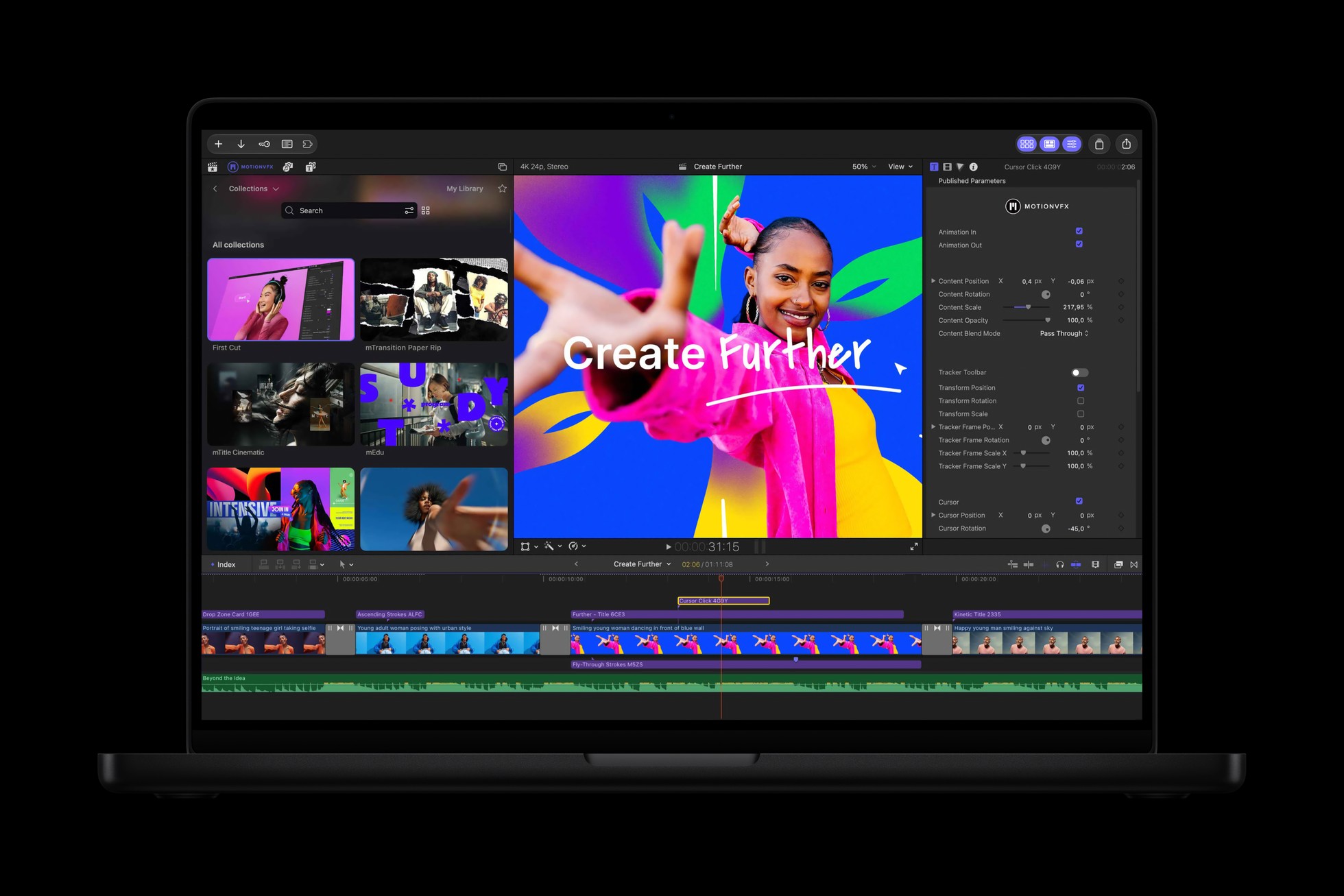
Apple Creator Studio is getting a substantial update for video editors, musicians and anyone building documents or presentations. Apple says the November release brings MotionVFX content into Final Cut Pro for Mac, adds new Logic Pro tools and introduces beta assistants across several apps.
Existing subscribers get the updates at no extra charge. However, the new assistants have specific device, operating system and language requirements, so not every feature will be available on every machine in the bundle.
MotionVFX moves into Final Cut Pro
Final Cut Pro for Mac will integrate thousands of MotionVFX elements, including titles, transitions, graphics and templates. Apple also lists tools for tracking, rotoscoping and color grading. Meanwhile, a Content Hub inside Final Cut Pro offers Apple-curated stock videos, photos and backgrounds.
Editors can open an image from the timeline in Pixelmator Pro, then save changes back to the project. Other workflow additions include more keyframe easing options, the ability to disconnect clips from the primary storyline and 23 additional transcription languages. Motion also gains a set of MotionVFX plug-ins, including tools for 3D camera tracking and color grading.
Logic Pro separates drums and adds an assistant
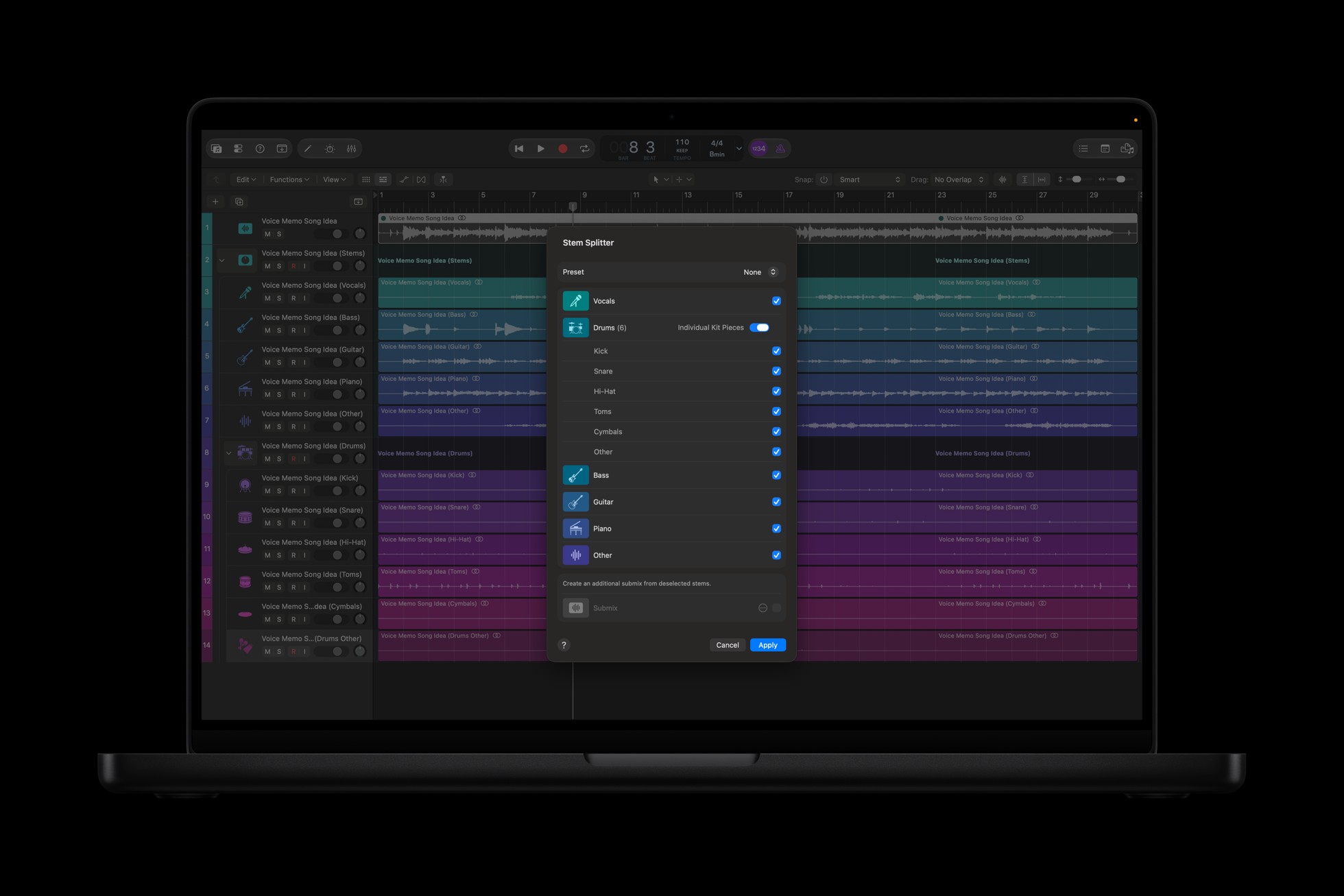
For music makers, Logic Pro’s Stem Splitter can now isolate, replace or rebalance drum parts without the original multitrack session. Apple also redesigned Logic Pro’s sound Browser on Mac. It uses on-device audio analysis to classify and tag added sounds, making them easier to search or match with a loop.
A new beta assistant in Logic Pro for Mac can help set up a vocal track, start a song or refine a project, according to Apple. It uses a combination of Apple-built and third-party models. The assistant requires an Apple Intelligence-capable Mac running macOS 27 or later, and initially supports U.S. English only.
Additionally, Logic Pro for Mac and iPad gets a Liquid Glass redesign and a Producer Pack from Sergio George. The update builds on the earlier Creator Studio update we covered in July.
Image editing and document assistants
Pixelmator Pro adds Generate Fill, which lets a user select part of an image and describe a change. Apple says the tool matches the surrounding lighting, perspective and texture, and generated elements can be added as layers for further editing.
Meanwhile, subscribers get beta assistants in Keynote, Pages and Numbers that use Apple models and OpenAI and understand document context. Apple says they can help with slides, writing and spreadsheet tasks. These assistants require an Apple Intelligence-capable device running iOS 27, iPadOS 27 or macOS 27 or later, and are available in U.S. English.
Apple is also adding Model Context Protocol support to those three apps, allowing external AI tools to read content and perform edits or automated actions. That feature requires macOS 27 or later. The Content Hub gains stock video in the productivity apps, and Keynote adds a JSON-based interchange format for external workflows.
Price and availability
Apple expects the updates on the App Store in November. Creator Studio costs $12.99 a month or $129 a year in the U.S., with a one-month trial for new subscribers. Eligible college students and educators can access a discounted plan, subject to verification.
Apple continues to sell one-time-purchase Mac versions of Final Cut Pro, Logic Pro, Pixelmator Pro and other apps, while free versions of Pages, Keynote, Numbers and Freeform remain available. Apple describes the new productivity assistants as subscriber features; buyers should check the specific app and feature requirements before choosing a subscription or standalone purchase.