






















Sonos Live Activities are back on iPhone. The company’s official iOS guide says app 88 puts speaker playback on the Lock Screen and Dynamic Island again.
The App Store listing now ships version 88.0.51. Sonos logged the same change in its app release notes for August 11, 2026. Apple started pushing the build more widely after that.
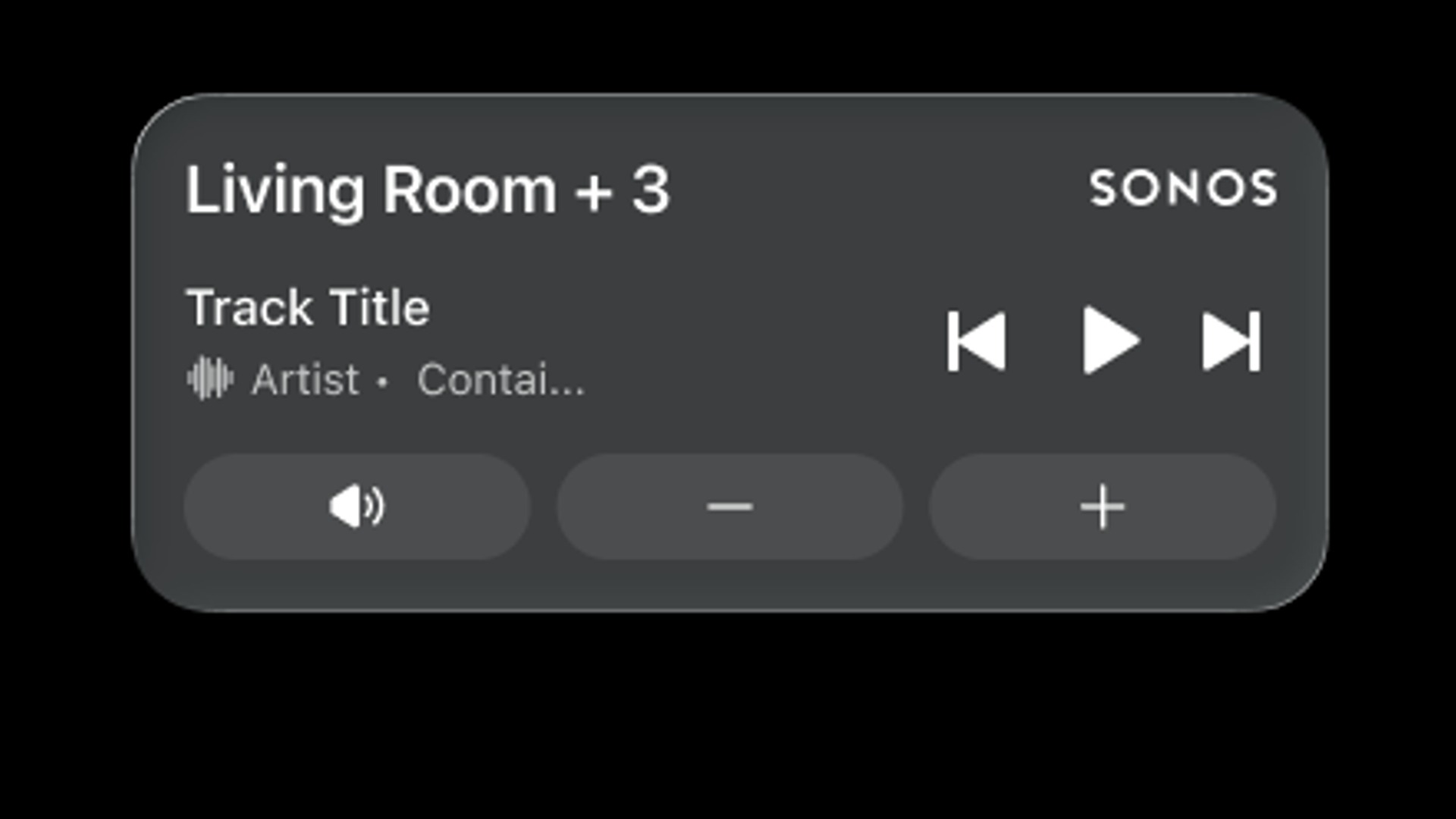
Once you start music and leave the app, the activity shows the last room or group. It also adds play, pause, skip, previous, mute, and volume. However, Face ID or a passcode still has to unlock the phone before those buttons do anything.
How to turn on Live Activities
Update to iOS 18 or later and install the latest Sonos app. Sign in as the system owner. Then open Account, App Preferences, and enable Live Activity.
iOS will ask for permission the first time the card appears. Sonos wants Always Allow. You can also flip Allow Live Activities and More Frequent Updates on under Settings, Apps, Sonos.
On iPhone 14 Pro and newer, the Dynamic Island can show the same session. A tap opens the Sonos app. A press and hold expands skip, play, mute, and volume while you stay in another app.
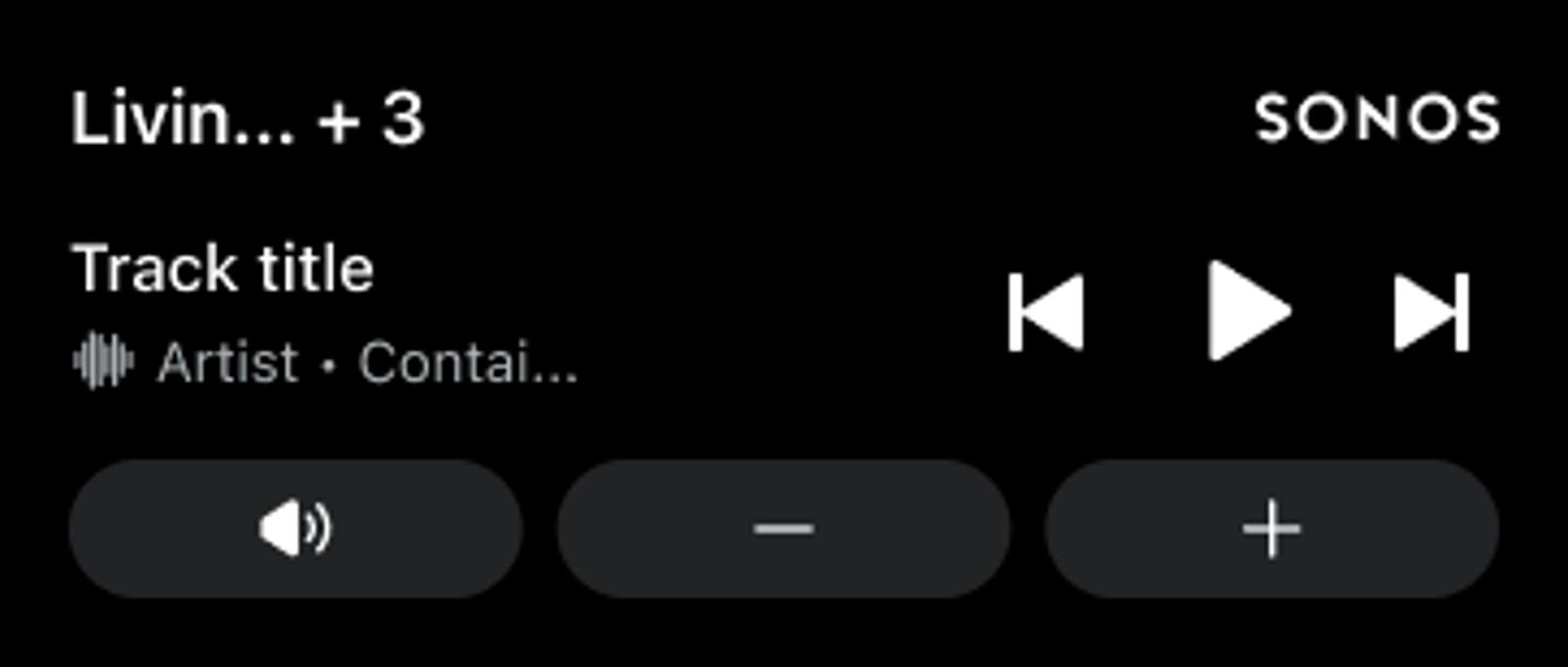
What still stays limited on Sonos Live Activities
Sonos’s official lock-screen graphic shows the room name, a track title, and transport buttons. It does not show album art. So the card reports what is playing, but it still looks more like a system widget than a Now Playing poster.
Playback that starts outside the app still works. AirPlay, Bluetooth, and supported services can feed the same activity. That lines up with earlier AirPlay 2 support on select Sonos speakers.
A paired Apple Watch or CarPlay session only shows a simple Sonos activity. It does not name the track. It also does not offer playback buttons. Swipe the card away on iPhone and it leaves Watch and CarPlay too.
If Wi-Fi drops or you force-close the app, you may need to reopen Sonos before the activity returns. Stopped or paused audio clears the card after 15 minutes. You can swipe it away at any time.
Android already got lock-screen and watch controls in the February 2026 82.00.45 app. iPhone users waited for Apple’s Live Activities path instead of the old lock-screen hook Sonos pulled in 2023. In the meantime, the company kept stacking other app work, including Sonos Voice Control for Lutron lighting.
Check the App Store for 88.0.51 if the toggle is missing. Sonos still rolls app features out in waves, so not every iPhone will see Live Activities on the same day.