




















Samsung’s Gallery app can now back up photos and videos to your Google account, Samsung announced on November 10, 2026. Samsung Gallery sync with Google storage starts on select Galaxy phones and tablets running One UI 9. Samsung says support will expand to more devices in phases and that availability varies by market.
How to turn on Samsung Gallery sync
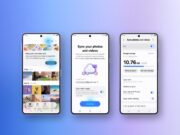
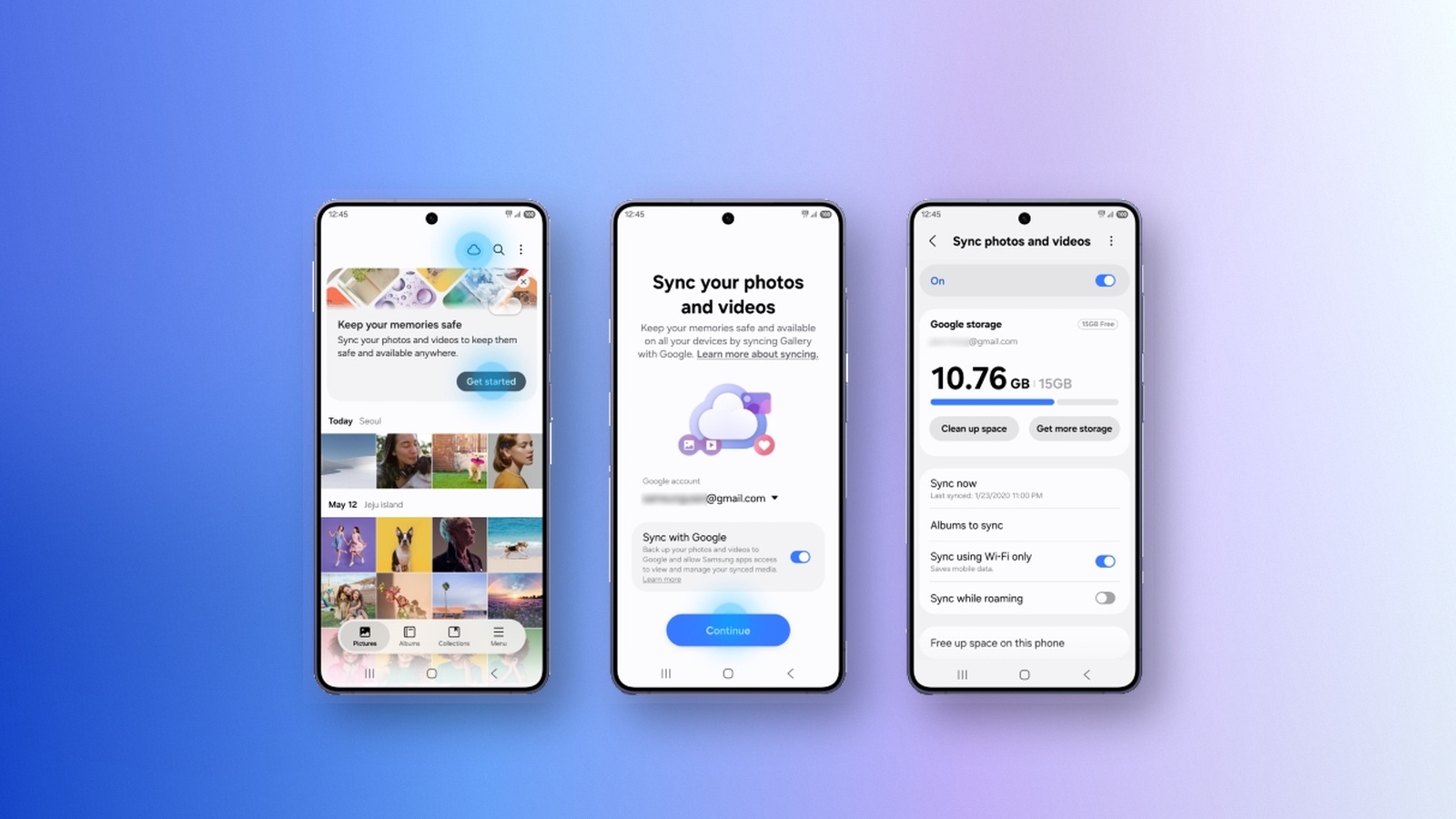
Sync lives inside Gallery. You don’t need a separate app or cloud account as long as your Samsung and Google accounts are already set up on the device. To start, tap the Cloud icon in Gallery or tap “Get started” on the tip card. You can also open Gallery Settings, turn on “Sync photos and videos” and follow the on-screen steps.
Your library then follows you to other supported Galaxy devices. Sign in with the same Samsung and Google accounts on a tablet or a new phone, then turn on sync. Gallery shows previews of your synced photos and videos. The originals stay in Google storage until you download the ones you need.
A new Free up space option
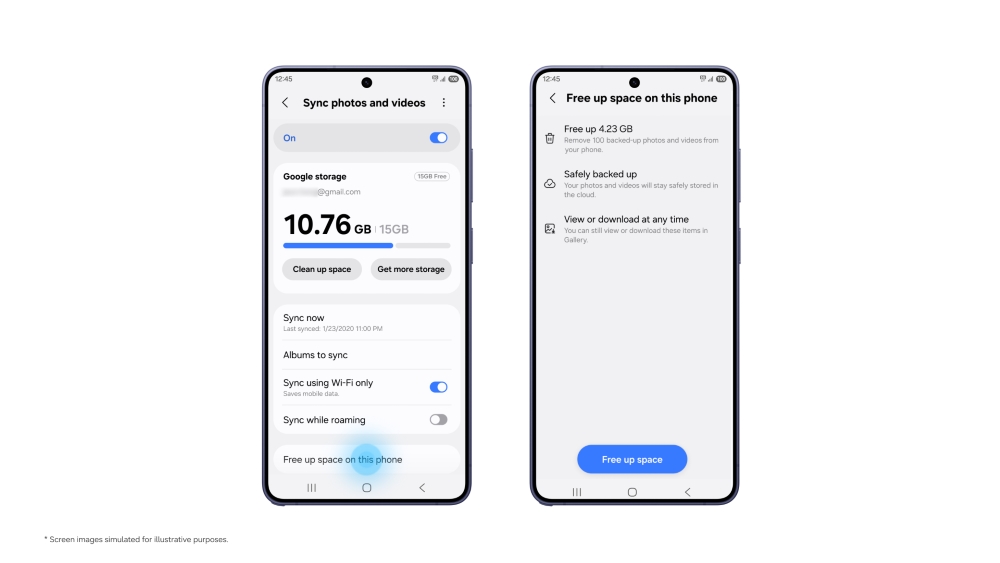
Samsung is also adding a “Free up space” feature. Once photos and videos have synced to Google storage, it removes the original files from the device while keeping their thumbnails visible in Gallery.
What storage Samsung Gallery sync uses
Gallery sync draws on your Google account’s existing storage, which Gmail, Google Drive and Google Photos also share. Samsung says Google accounts include up to 15 GB at no cost. How much of that Gallery can use depends on what you already store there.
More space comes from Google One’s paid plans. Google’s US plans page lists 100 GB for $1.99 a month. If you pay for Google One, Samsung says to choose the Google account linked to that plan. The free tier is not the same everywhere: Google’s Philippines page describes 5 GB per account, plus another 10 GB after you add a valid phone number.
Limits to know
Samsung’s announcement does not specify which Galaxy models are in the first group. One UI 9 began reaching the Galaxy S26 series in September. Gallery sync, however, covers only select One UI 9 devices, and Samsung says some markets may not get it.
At launch, Gallery shows only the photos and videos it synced itself after you turned the feature on. Content already in your Google storage stays in the cloud but does not appear in Gallery automatically.
Deleting works both ways. Removing a synced item in Gallery also removes it from your Google storage and from other Galaxy devices signed in with the same Samsung and Google accounts.
Gallery’s direct sync with Microsoft OneDrive ended on September 30, 2026. Samsung says photos and videos already synced there remain available through the OneDrive app and website.