

























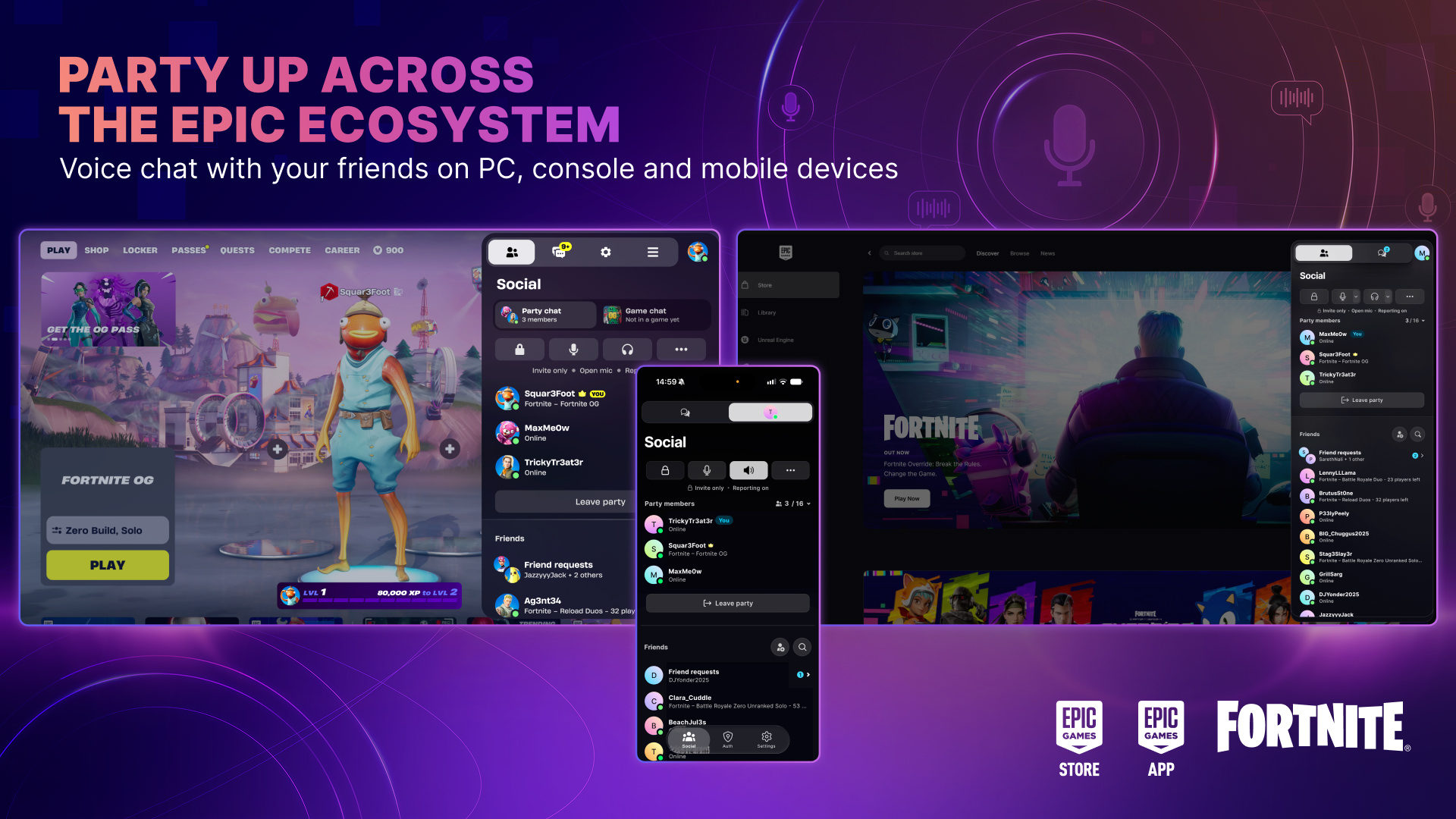
Epic Parties are live. You can now party up and voice chat with friends across Fortnite, the Epic Games Launcher, and Epic’s mobile apps. Fortnite works on all supported platforms. The store client covers PC, Mac, iOS, and Android. The Epic Games app sits on the iOS App Store and Google Play.
What Epic Parties actually do
On PC, you can sit in an Epic Party and talk to friends playing Fortnite on console. You can also talk to friends on Epic’s mobile apps. If you are on mobile, you can background the app and keep the chat going. Meanwhile, you can minimize the Launcher and keep talking while you play other Epic Games Store titles.
In addition, you can move the call. If you are chatting from the PC Launcher or the Epic mobile apps, you get an option to transfer voice chat when you jump into Fortnite. Then you do not drop the audio. When friends accept an Epic Party invite, they also land in the same Fortnite Lobby when they boot the game.
How to start Epic Parties
Open the Friends list in the Launcher, Fortnite, or the Epic mobile apps. If a friend is online, hit Invite to Party. If they are already in a party, hit Join. Once they accept, you can start voice chatting. However, this is not Discord for the whole internet. It is Epic’s own social layer, next to last year’s text chat across the same apps.
Still, the launcher rebuild Epic sketched at State of Unreal is the bigger PC bet. That plan already listed voice chat and game-independent parties. See the Epic Games Launcher V2 rebuild for that roadmap. As a result, Epic Parties look like the first slice of that social stack, not a new Fortnite season. It also sits beside Epic’s editor push in Unreal Engine 5.8.