


























Gemini Live is starting to feel less like a one-off voice session. It is becoming more like an assistant that can pick up where you left off. Google’s Gemini Live page now says the voice mode can remember key details across sessions. That includes preferences, dates, and hobbies, so you do not have to repeat yourself every time.
That is a small wording change with a bigger practical effect. The standard Gemini app has had past-chat memory for a while. Live has often felt more temporary. If Live can pull from the same personal context, voice chats should become more useful. Planning, reminders, travel, recipes, and everyday questions all benefit from memory.
Gemini Live gets more personal
Google describes Gemini Live as part of the same continuous chat experience. You can move between typing and talking without losing the thread. The company also says Live can work with connected apps. That list includes Gmail, Drive, Calendar, Tasks, Keep, Maps, YouTube, smart home controls, and phone settings.
The privacy piece matters here. Google’s help page for Gemini memory says personalization depends on a personal Google Account. Users must also be 18 or older and keep Gemini Apps Activity turned on. The same page says users can turn memory off, delete past chats, or ask Gemini whether it used earlier conversations.
There is still some rollout fog. Google’s Gemini Live page says memory across sessions is supported. One Gemini Help page still says past-chat memory is not available in Live chats. In a current account check, Gemini described the change as a U.S. English rollout tied to Personal Intelligence settings.
The upgrade comes with a permission check
That makes this a feature to watch, not one to assume is active everywhere. If it is live on your account, Gemini should use memories and connected-app context under your chosen permissions. If the setting is off, the feature may not apply. The same goes for work, school, or supervised accounts.
The upside is obvious. Voice assistants are more helpful when they do not treat every conversation like the first meeting. The risk is also obvious. Users need clear controls over what gets remembered, what gets pulled from Gmail or Drive, and what gets forgotten.
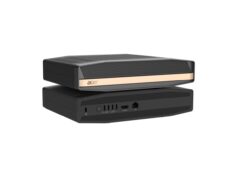
Google has been pushing Gemini deeper into everyday devices. That includes the new Gemini-powered Google Home Speaker. Giving Live memory makes that push more coherent. A speaker, phone, or wearable assistant is not very smart if it has to relearn your preferences every morning.
For now, the safest read is simple. Gemini Live memory is moving from promise to rollout. Users should still check their Personal Intelligence and Gemini Apps Activity settings before expecting it to remember everything.