

















Sponsored by invideo. Tech My Money independently fact-checked and edited this guide to AI tools for film production for accuracy, limitations, and reader value.
AI tools for film production now cover nearly every stage between an early script and a finished master. However, a storyboard generator, a motion-capture service, and a color-matching plugin solve very different problems. This guide starts with the official invideo Agent Two workflow, then compares 14 specialists by the production stage where each makes the most sense.
We checked current product pages, documentation, and public pricing on September 8, 2026. This is a workflow comparison, not a claim that we personally tested every product. Prices are in US dollars. Credit allowances and prices can change, so confirm the final cost before committing a production.
How we chose these AI tools for film production
We organized the list around seven practical stages: development, pre-production, image generation and camera work, performance capture, picture post, sound post, and finishing. Specifically, each selection needed a current official product, a clear job in the pipeline, and enough public documentation to explain its limitations.
“Best” therefore means best suited to a particular task, not universally superior. Moreover, generative results still require human review for continuity, rights, consent, safety, and technical delivery. Teams handling paid client work should also verify licensing and data policies for their exact plan.
| Tool | Best production stage | Best for | Current entry point |
|---|---|---|---|
| invideo Agent Two | Across the pipeline | One connected agent, model, stock, and editing workspace | Free manual editor; Plus from $17/month, billed annually |
| Katalist AI | Development | Turning scripts and winning ads into visual variations | Free starter credits; extra packs from $9 |
| LTX Studio | Pre-production | Storyboards, reusable Elements, and shot planning | Free trial credits; Lite $15/month |
| Leonardo.Ai | Concept development | Character and environment reference art | Free; Essential $12/month |
| Moonvalley Marey | Shot generation | Licensed-data video generation with directorial controls | Check current access and pricing |
| Luma Ray3.2 | Shot generation | Frame-level video direction, modification, and HDR workflows | Plan and credit based |
| Move AI | Performance capture | Single- or multi-camera video-to-mocap | Move One from $18/month; API from $0.012/second |
| DeepMotion | Performance capture | Accessible video-to-3D character animation | Free; Starter $9/month annually |
| OpenArt | Character development | Consistent characters and personalized models | Starter $14/month |
| World Labs Marble | Virtual production | Navigable generated 3D environments | Free; Standard $20/month |
| Autodesk Flow Studio | Picture post and VFX | Markerless mocap, camera tracking, and CG integration | Free; paid tiers available |
| ElevenLabs | Sound post | Voice generation, dubbing, narration, and ADR | Free; Starter $6/month |
| Descript | Dialogue editing | Editing speech and video through a transcript | Free; Hobbyist from $16/month annually |
| Colourlab Ai | Color finishing | Shot matching and look development | Free trial; pricing varies by edition |
| Topaz Video | Technical finishing | Upscaling, denoising, interpolation, and stabilization | Personal $299/year |
One platform across the pipeline
1. invideo Agent Two: best for keeping the project connected
Most products in this guide specialize in one production task. By contrast, invideo combines Agent Two, more than 200 image, video, and audio models, premium stock and editing inside one browser workspace. Team and Enterprise plans also offer shared folders for collaborators. Its Context, Playbooks, Notebooks, and Slate features aim to preserve a project’s instructions while creators move between ideation, generation, and assembly.
The important advantage is orchestration. A filmmaker can bring in scripts, reference files, rough cuts, and links, then direct an agent in plain language. Meanwhile, Notebooks offer more hands-on control over individual generations. The invideo Editor, introduced September 1, adds an editable multitrack timeline, footage search, multicam assistance, color tools, audio mixing, and project export options.
Best for: teams that value one continuous workspace more than a collection of disconnected specialist subscriptions.
Watch for: credit use varies by the models and settings the agent selects. Therefore, review project limits and use “Always ask” permissions when cost control matters.
Development and writing
2. Katalist AI: best for script-to-visual development
Katalist can import a script, break it into shots, generate a storyboard, and keep recurring characters consistent across those shots. However, the company now emphasizes performance-ad workflows as much as traditional storyboarding. Its product-swap and recasting tools can refresh an existing creative without arranging another shoot.
Best for: marketing teams that want to move from a brief to visual boards, then build localized or product-specific variations.
Watch for: generated continuity still needs review, particularly when a product label or character detail must remain exact.
Pre-production and visualization
3. LTX Studio: best for connected storyboards and shot planning
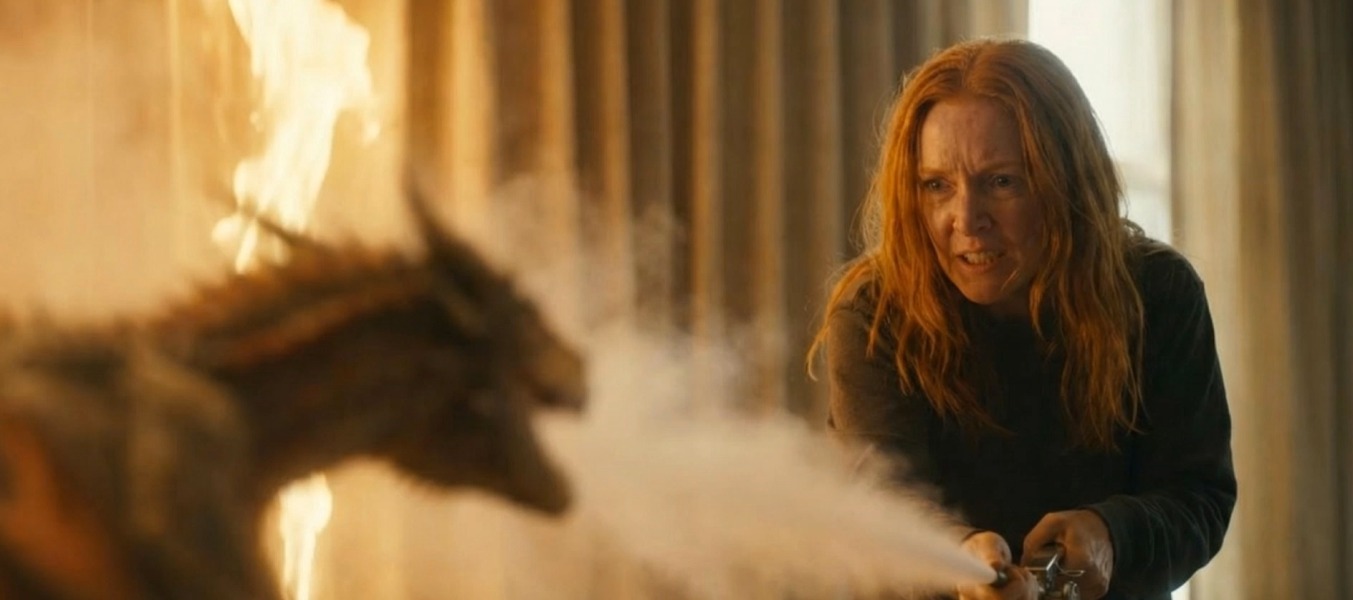
LTX Studio brings storyboards, reusable Elements, generative models, camera controls, and a timeline into one pre-production environment. Consequently, teams can define recurring characters, locations, and visual rules before spending heavily on final shots. Advanced camera controls and video-to-video tools also make the platform useful after the board is approved.
Best for: filmmakers who want one visual-development space for boards, shot design, and early motion tests.
Watch for: the free allocation is a one-time trial and carries a personal-use license. Commercial work requires the appropriate paid tier.
4. Leonardo.Ai: best for concept art and visual references
Leonardo.Ai offers image guidance, Elements, personal-model training, and broad image-generation controls. Those tools make it useful for exploring character costumes, environments, props, and mood before video generation begins. Additionally, paid plans keep generations private and provide larger monthly token banks.
Best for: building a visual bible and reference sheets that other departments can follow.
Watch for: reference guidance improves consistency but does not guarantee an identical face, costume, or prop in every output.
Image generation and camera work
5. Moonvalley Marey: best for licensed-data production workflows
Moonvalley positions Marey as a professional video model trained only on licensed footage. It supports camera control from a still image, motion transfer from a reference clip, and drawn trajectories for directing object movement. In fact, that combination targets directors who want more deliberate control than a text prompt alone provides.
Best for: commercial teams that place unusual weight on training-data provenance and directorial control.
Watch for: “commercially safe” is Moonvalley’s product claim, not a substitute for a production’s own legal review.
6. Luma Ray3.2: best for frame-level video direction and HDR workflows
Luma’s Ray3.2 adds frame-level direction with up to 16 keyframes, performance tracking, and reframing tools. The model supports clips up to 20 seconds at 1080p. Moreover, Luma documents native HDR generation and 16-bit EXR export for professional color and compositing pipelines.
Best for: rapid shot exploration and productions that need HDR/EXR output from supported generation modes.
Watch for: Output formats, references, and modification controls depend on the selected model and mode. Test a short export in the intended finishing application before building the full sequence.
Character and performance capture
7. Move AI: best for scalable video-to-mocap
Move AI converts single- or multi-camera footage into 3D motion data. Its current API includes separate models for simple single-camera capture and higher-quality multi-camera work. Furthermore, supported outputs include common animation and data formats for downstream work in 3D packages and game engines.
Best for: teams that need an upgrade path from quick phone capture to professional multi-camera performance capture.
Watch for: multi-camera jobs require calibration and more setup. API cost also rises with model, resolution, frame rate, camera count, and clip length.
8. DeepMotion Animate 3D: best for an accessible first mocap workflow
DeepMotion Animate 3D turns ordinary video into 3D character animation and exports formats such as FBX, BVH, and GLB. Depending on the plan, it can track multiple people, body, face, and hands. It also provides physics and foot-locking controls to help clean up captured movement.
Best for: creators who want a low-cost, browser-based path from a recorded performance to an editable animation.
Watch for: clear footage, visible limbs, and suitable camera framing materially affect the result. Commercial licensing also requires a paid plan.
9. OpenArt: best for recurring AI characters
OpenArt combines consistent-character tools, personalized model training, image editing, and access to a broad catalog of image and video models. Therefore, it can help a production develop a repeatable character asset before generating many variations or scenes.
Best for: series, campaigns, and story projects that repeatedly return to the same designed character.
Watch for: training takes more setup than attaching one reference image. Also, consistency can vary when a workflow switches between underlying models.
Virtual production, picture post, and VFX
10. World Labs Marble: best for navigable generated environments
Marble creates editable 3D worlds from text, images, multiple images, video, panoramas, or rough 3D layouts. Unlike a flat image-to-video effect, the result can be explored and rendered with precise camera paths. Teams can export Gaussian splats, meshes, panoramas, or videos depending on the plan.
Best for: virtual locations, previs, and repeatable camera moves through a persistent environment.
Watch for: Marble’s core strength is environment generation. It is not a complete replacement for character animation, compositing, or a traditional 3D pipeline.
11. Autodesk Flow Studio: best for AI-assisted VFX integration
Autodesk Flow Studio, formerly Wonder Studio, turns live-action footage into editable CG scenes. Its tools cover markerless body, face, and hand capture, camera tracking, clean plates, masks, character passes, and scene exports. As a result, artists can continue refining the output in Maya, Blender, Unreal Engine, 3ds Max, or another supported tool.
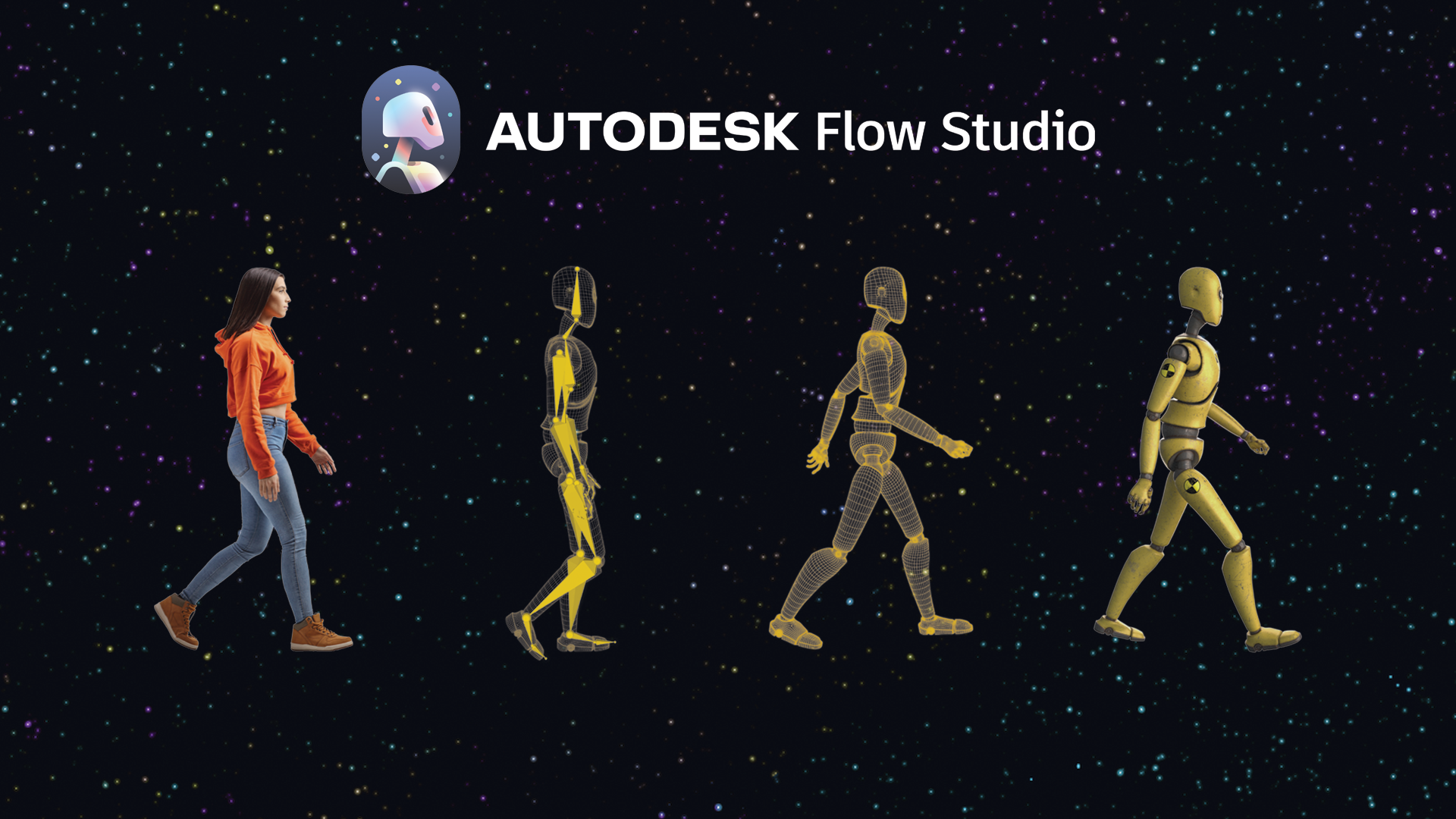
Best for: replacing an actor with a CG character while retaining editable motion, camera, and compositing elements.
Watch for: exports, resolution, tracked actors, storage, and advanced live-action tools vary substantially by tier.
Dialogue and sound post-production
12. ElevenLabs: best for controlled voice generation and ADR
ElevenLabs provides text-to-speech, voice design, dubbing, sound effects, and voice cloning. Its Professional Voice Cloning workflow uses longer recordings and requires identity verification. Consequently, it is better suited to authorized narration or ADR than casually copying another person’s voice.
Best for: productions that need consistent authorized narration, dialogue replacement, or multilingual voice work.
Watch for: Professional Voice Cloning starts on the Creator tier, not Starter. In addition, ElevenLabs permits users to create a professional clone only of their own verified voice.
13. Descript: best for transcript-driven dialogue edits
Descript treats recorded audio and video like an editable document. Editors can remove filler words, shorten gaps, clean speech with Studio Sound, and regenerate small sections using an authorized custom voice. Meanwhile, automatic multicam and clip-generation tools extend the workflow beyond dialogue cleanup.
Best for: interviews, podcasts, explainers, and dialogue-heavy edits where the transcript is the fastest route to a clean cut.
Watch for: media-hour and AI-credit allowances vary by plan. Long projects can therefore outgrow the entry tier quickly.
Finishing and delivery
14. Colourlab Ai: best for shot matching and look development
Colourlab Ai automates repetitive color tasks such as balancing and matching shots, then lets a colorist refine the creative look. The current Colourlab Ai 3.5 line works with professional grading and editing environments. However, Colourlab Ai 4 is only scheduled for a September 10 reveal and September 12 public beta as of this article’s check date.
Best for: matching footage captured across different cameras, locations, or production days before the final creative grade.
Watch for: it is a specialized color tool, not a complete editor. Compatibility and pricing also depend on the selected edition and host application.
15. Topaz Video: best for technical cleanup and upscaling
Topaz Video is a desktop application for upscaling, denoising, stabilization, slow motion, and frame interpolation. Because processing can run locally, it suits teams with capable hardware and large source files. It can also help rescue archival or low-resolution material before delivery.
Best for: the final technical pass when footage needs cleaner detail, higher resolution, steadier motion, or smoother frame rates.
Watch for: stabilization may trade framing for smoothness, while aggressive enhancement can create artifacts. Moreover, larger organizations may need a higher-priced Pro license for commercial use.
Which AI film-production tool should you choose?
Start with the bottleneck, not the longest feature list. For example, Katalist and LTX Studio make the most sense before shooting. Move AI and DeepMotion address performance capture. Flow Studio tackles VFX integration, while ElevenLabs and Descript focus on dialogue. Finally, Colourlab Ai and Topaz Video solve different finishing problems.
For a broader connected workflow, invideo Agent Two reduces handoffs between planning, generation, stock, and editing. Readers comparing camera-specific options can also see our guide to AI camera-control tools for video production. Likewise, our earlier breakdown of AI previsualization tools for filmmakers goes deeper on planning a shot before production.
Frequently asked questions
Can one AI tool cover every stage of film production?
One platform can connect several stages, but no product replaces every specialist or creative decision. invideo Agent Two spans research, planning, generation, stock, and editing. Nevertheless, demanding mocap, VFX, voice, color, or restoration work may still justify a dedicated tool.
Where does AI save the most production time?
Pre-production and repetitive post tasks often provide the clearest savings. Storyboards, shot variations, transcript edits, rough selects, clean plates, and shot matching can all consume substantial manual time. Still, human review remains essential before those outputs reach a client or final master.
Do AI filmmaking tools clear copyright and consent automatically?
No. A vendor’s license and safety controls can reduce risk, but the production still needs rights to its scripts, footage, performances, voices, music, logos, and reference material. Therefore, obtain releases and review commercial terms for the exact plan and intended distribution.
Should a small team buy an all-in-one platform or several specialists?
An all-in-one platform usually reduces setup and file handoffs. Alternatively, add a specialist only when a real project requirement exposes a gap. That approach keeps costs, training time, and subscription overlap under control.