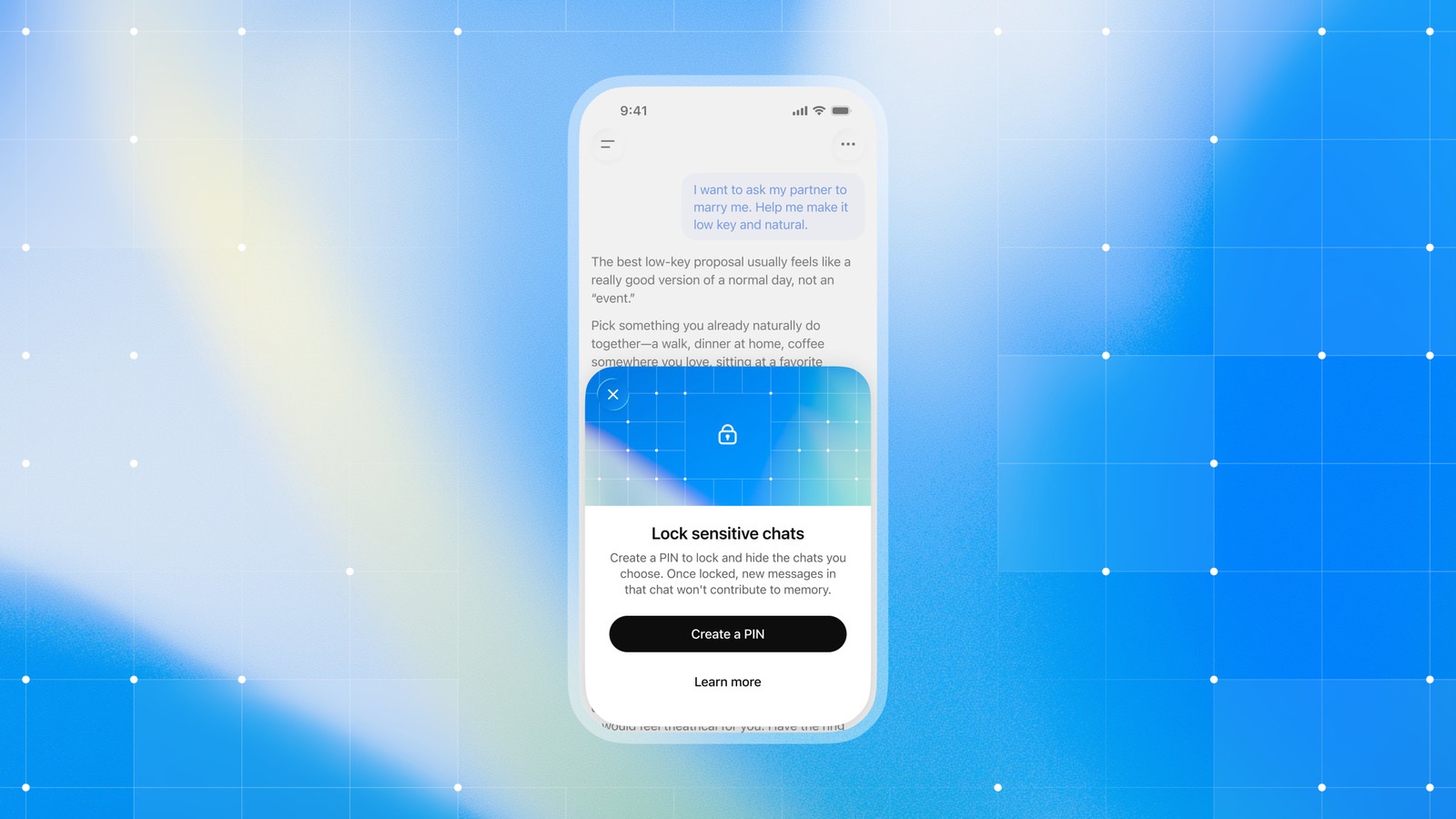
OpenAI has started rolling out ChatGPT locked chats to let users hide private threads behind a four-digit account PIN. OpenAI detailed the privacy tool in its official support documentation and October 20 ChatGPT release notes. The feature removes selected threads from regular history, pinned lists, and standard search. Instead, those conversations move into a Locked chats folder under Projects in the sidebar. OpenAI is releasing the update gradually across the web, iOS, Android, and the new ChatGPT desktop app for macOS and Windows.
The feature supports ChatGPT Free, Go, Plus, Pro, Business, Enterprise, and Edu plans. However, OpenAI excludes ChatGPT for Healthcare from the rollout. To lock an eligible thread, users open its three-dot menu, select Lock chat, and confirm the prompt. They then enter a four-digit account PIN to finish locking the conversation. After locking a first thread, users can also start new locked chats directly inside Projects > Locked chats.
How Unlocking, Biometrics, and Auto-Relock Work
Because the four-digit PIN ties to the user’s OpenAI account, the same code unlocks protected threads across devices. On supported phones and tablets, users can enable Face ID, Touch ID, or Android device unlock. Still, biometric settings stay specific to each mobile device. Web and desktop sessions always require the four-digit PIN. Too many failed PIN attempts temporarily disable access.
Auto-relock timers differ by platform to prevent casual shoulder-surfing. On the web and desktop app, entering the PIN unlocks only that specific browser tab or window. As a result, stepping away, refreshing the page, or closing the tab relocks the folder automatically. Meanwhile, iOS and Android apps end access after one minute away or one minute in the background. Users can tap Lock now to close access immediately, and the Android app blacks out screenshots of locked threads.
Privacy Limits, Memory Rules, and Permanent PIN Reset Deletion
OpenAI notes that locking a chat hides it in the interface rather than adding end-to-end encryption or a separate cryptographic vault. Locking a thread does not change OpenAI’s retention schedule or a user’s “Improve the model for everyone” training setting. In Enterprise and Edu workspaces, locked threads still appear in message logs through the OpenAI Compliance Platform. Even so, workspace admins cannot unlock a user’s chats, reset their PIN, or disable the feature.
Locked threads also isolate OpenAI’s personal memory features. A locked thread can draw context from regular Memory, and new details shared after locking carry across other locked chats. By contrast, memories created inside a locked thread never carry back into regular chats. That separation holds even if the user later unlocks the conversation. Files uploaded or created in a locked chat stay hidden from Space and open only in that specific thread. However, locking a chat does not revoke an existing shared link for older messages.
Users who know their current PIN can change it under Settings > Security and login > Account PIN. Forgetting the code carries a permanent cost, as OpenAI warns:
“Resetting your PIN permanently deletes all locked chats, remembered information stored only within locked chats, and files or other content protected only by your previous PIN. This cannot be undone, and OpenAI Support cannot recover the deleted content.”
OpenAI Help Center
Users can lock standard cloud threads in Chat or ChatGPT Work mode. However, OpenAI excludes Codex sessions, local Work chats, temporary chats, archived threads, and group chats. Users cannot lock threads from shared links or threads with scheduled tasks, meeting recordings, background tasks, or saved project sources. Finally, Voice works in locked chats on the web, iOS, and Android, but not in the desktop app.