

























Spotify playlist folders are finally moving from desktop to mobile, which is good news for anyone whose library looks like a closet after laundry day.
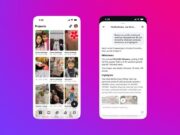
Spotify says playlist folders are available now for all users globally. You can group playlists by mood, activity, genre, or whatever system your brain accepts. You can also put folders inside other folders.
That sounds small, but it is one of those utility features that heavy Spotify users notice fast. Mobile is where a lot of listening starts, so keeping folder creation stuck on desktop always felt weird.
Bulk editing gets less painful
The update also adds in-playlist bulk actions. Spotify says users can move, remove, and reorganize multiple tracks, books, or podcast episodes at the same time. That should help if you maintain long gym mixes, road-trip playlists, or podcast queues.
There is a Premium split here. Bulk playlist editing is rolling out for all users globally. The ability to select and manage multiple songs in the play queue is returning for Premium users.
Spotify has been busy with flashier features lately, including podcast tools like the clips update Tech My Money covered this week. This release is more practical. It is less about AI and more about making the app behave the way power users expect.
Background downloads and reshuffle are Premium perks
Spotify is also adding background downloads on iOS for Premium users globally. Music and podcasts can keep downloading after you leave the app, with notifications showing progress. That should make offline listening less annoying before flights, commutes, and low-signal days.
Premium users on mobile are also getting a reshuffle button. Instead of turning shuffle off and back on, you can tap once to get a new order for a playlist or album. It is a tiny control, but it fixes a familiar problem: shuffled music that starts to feel stale.
The takeaway is simple. Spotify is giving mobile users better organization and faster cleanup tools, while keeping the more advanced playback perks behind Premium. Make sure the Spotify app is updated if the new controls have not appeared yet.