

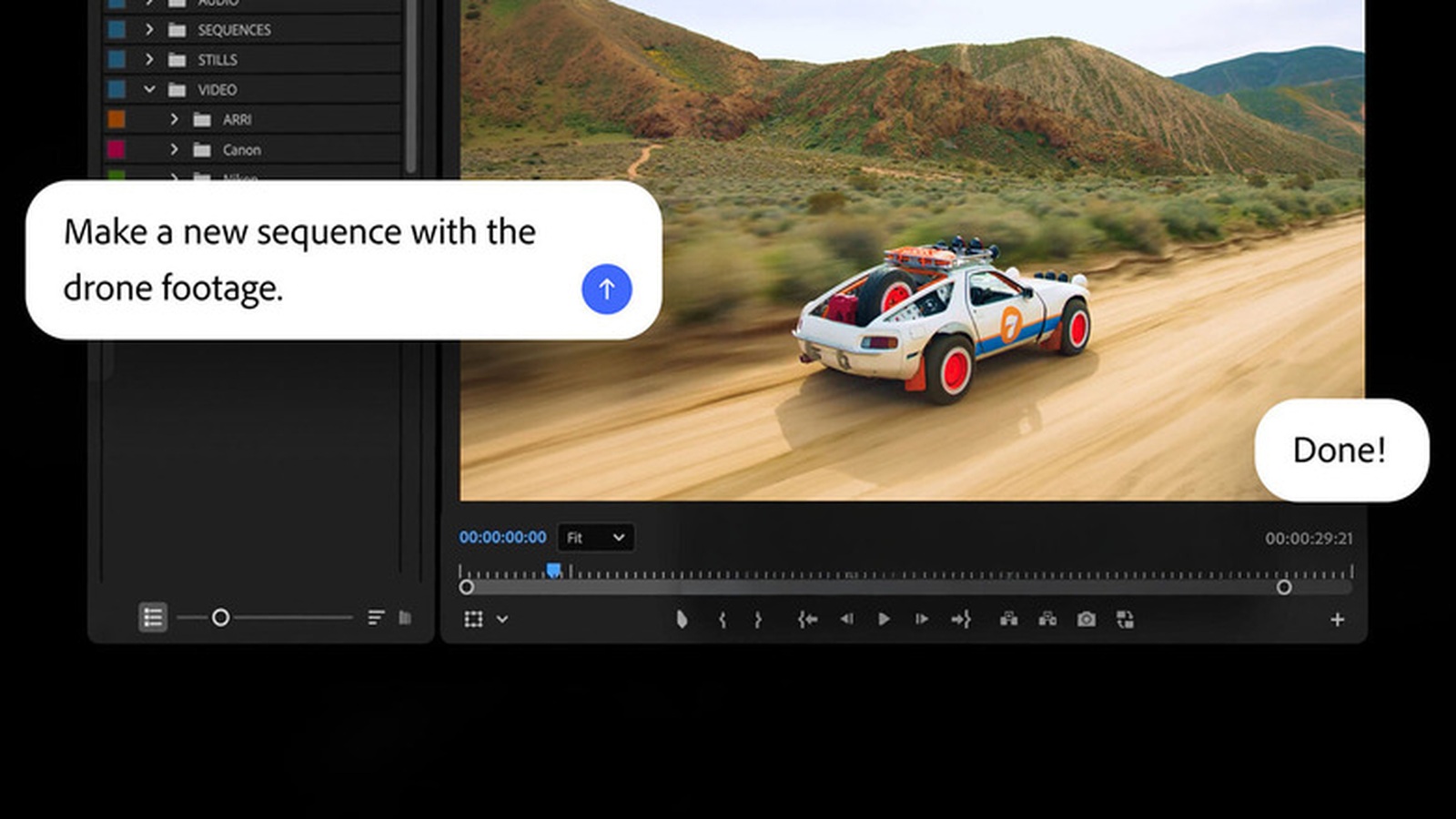
The Adobe Firefly AI Assistant is moving into the apps where creative work already happens. Adobe is previewing a conversational assistant for Premiere, Photoshop, Illustrator, InDesign, and Frame.io. The pitch is simple: describe the task, then let Firefly help inside the tool.
The Premiere screenshot makes the idea clear. A prompt asks the assistant to “make a new sequence with the drone footage.” A second bubble replies, “Done.” That small moment matters because it shows Firefly acting on project context, not just generating a random asset on a blank page.
Adobe Firefly AI Assistant is about workflow
Adobe’s Firefly Studio waitlist page says the new experience is built for generating and editing images and video in one place. It also promises one view for assets and reusable elements for consistency. Engadget reports that the in-app Firefly AI Assistant beta starts today, while the broader creative AI studio is still in private beta through a waitlist.

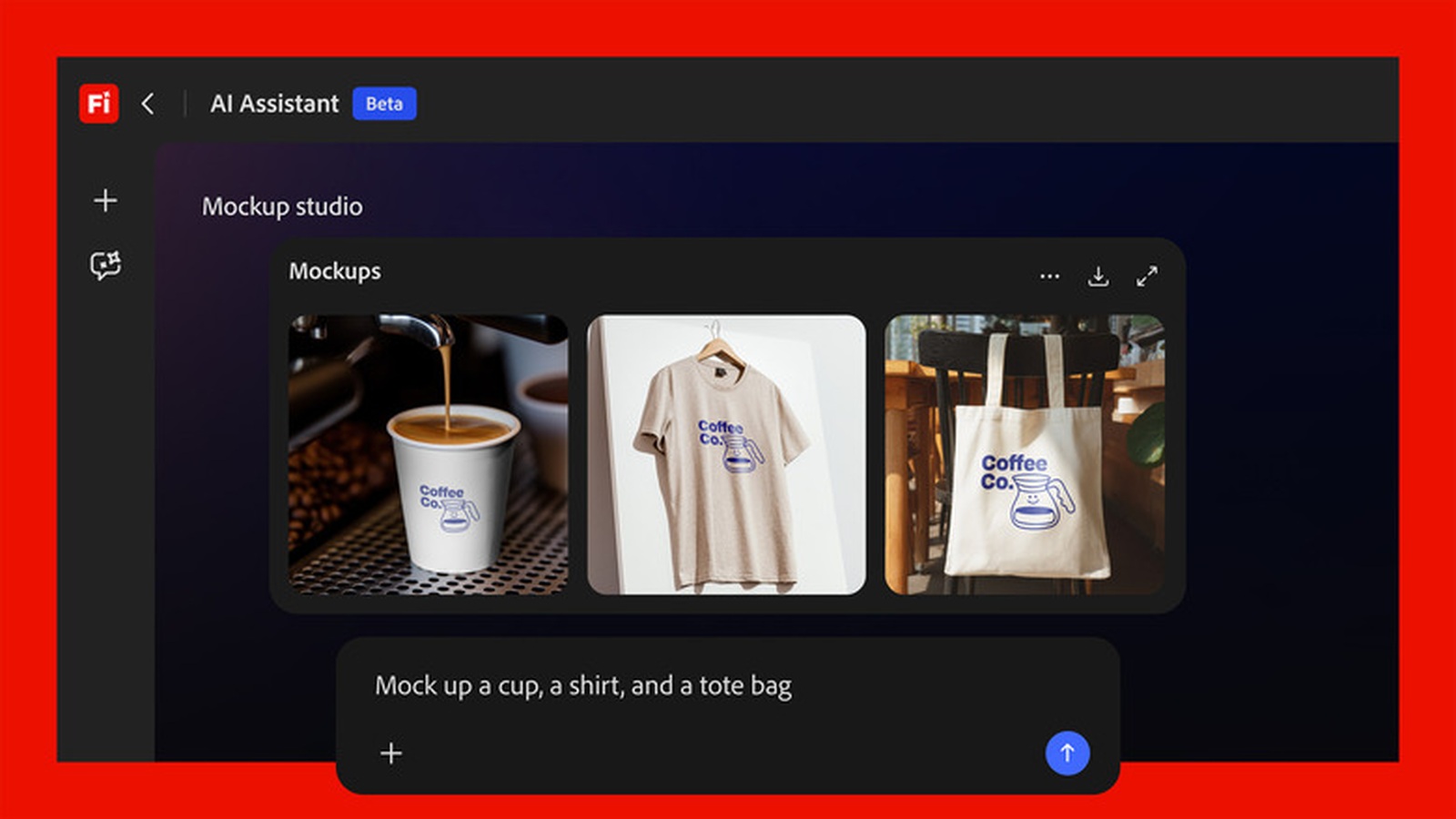
That is the real shift. A creator may already use one tool for images, another for video, and another for cleanup. Adobe wants Firefly to understand the app, the asset, and the next step. If that works, beginners get a guide through complex menus. Pros get help with repetitive setup work.
The trust test is bigger than the demo
The assistant still has to earn trust. A bad image prompt is annoying. A bad timeline edit or client-file change can waste real production time. Therefore, Adobe needs clear controls. Users should be able to see what changed, undo the action, and decide how much authority the assistant gets.
Privacy also matters. Creative Cloud users work with client footage, unreleased campaigns, and private brand assets. Adobe has positioned Firefly as a more commercially cautious AI system. Still, users will want clear answers about cloud processing, project data, and how assistant actions are logged.
Why this is bigger than another AI panel
Adobe’s move fits a wider software trend. We saw a similar workflow shift when Claude Design began handing designs straight to Claude Code. We also saw how source visuals changed the story around Midjourney Medical’s 60-second body scanner claims.
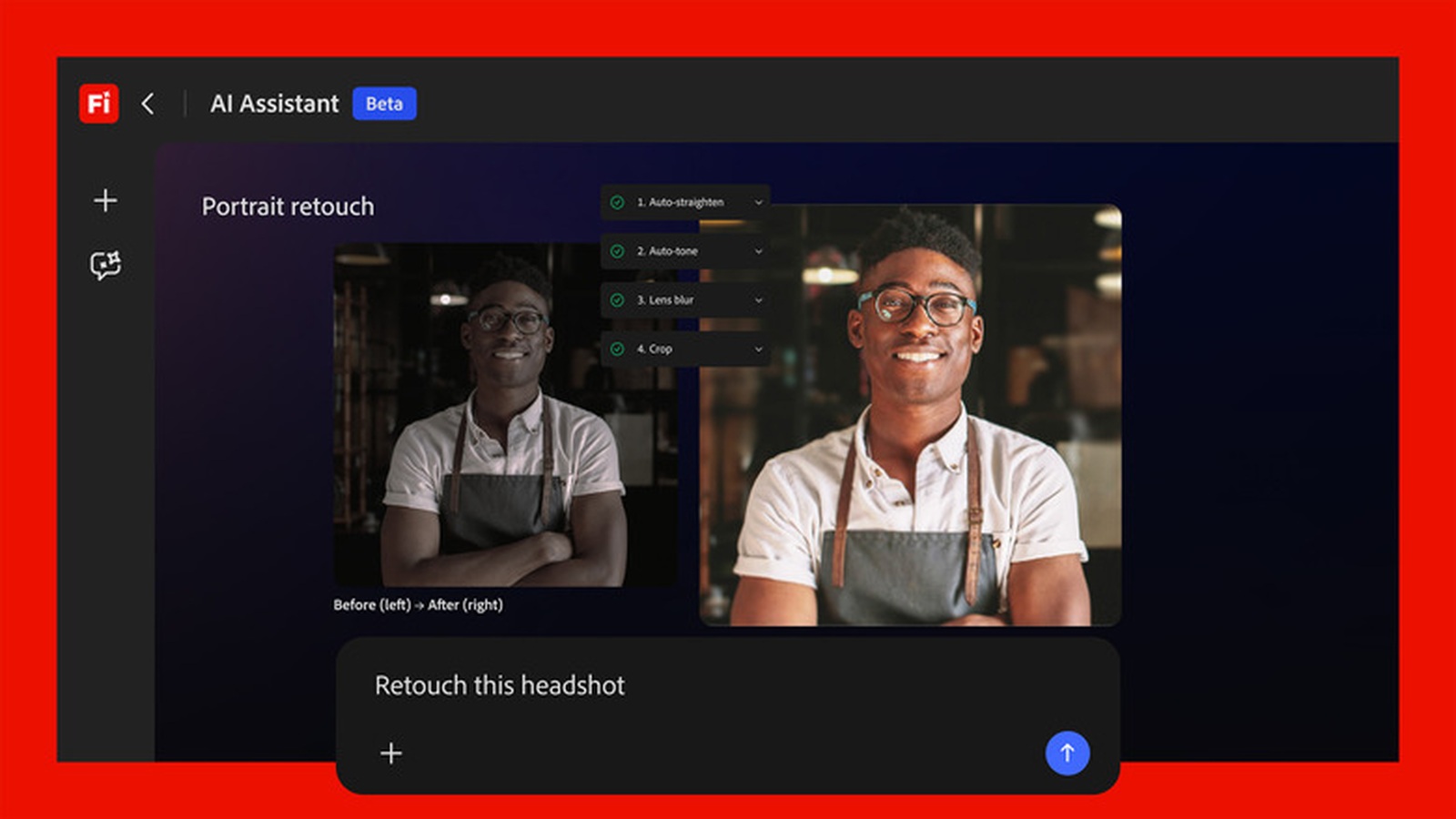
The pattern is clear. AI is moving from “make me a thing” toward “help me finish the workflow.” For Adobe, the question is whether Firefly can become reliable enough inside the tools creators already trust. The screenshots show a useful direction. The beta will show whether it is precise enough for daily professional work.


