VSCO Studio Pro has launched on iOS, and the new app makes one clear promise. It wants to edit a full photo shoot in minutes. The headline feature is batch editing. You can apply one edit to as many as 100 photos at once. VSCO puts it bluntly. The app, it says, lets you “finish editing a full photoshoot in seconds, not hours.” Studio Pro is free to download today, but the deeper tools sit behind a subscription.
Edit 100 photos in one tap
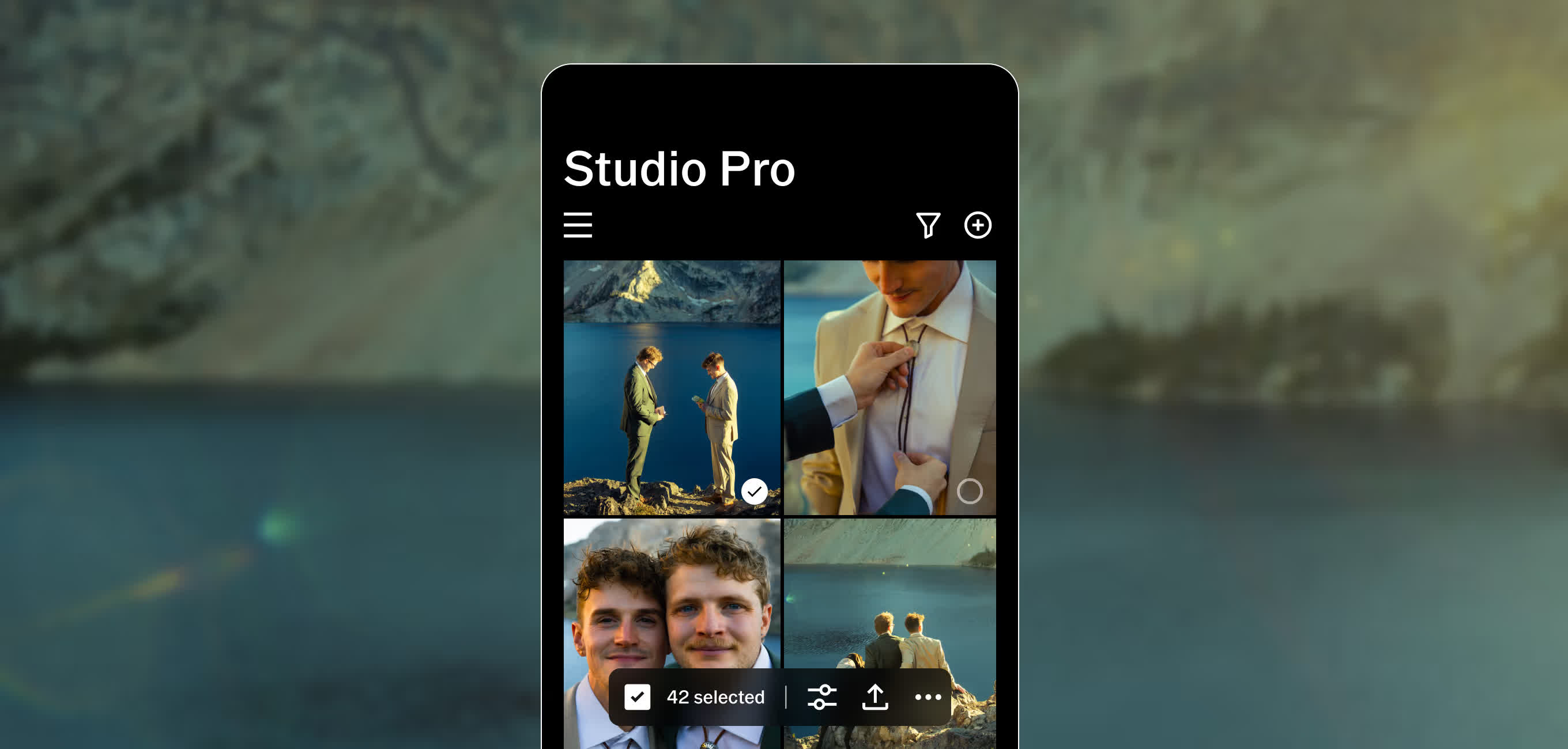
This is the core pitch, and it is a genuine workflow shift. Most mobile editors still work one image at a time. Studio Pro instead leans on a new image engine for speed. First you select a batch. Then you push a single look across the whole set. The app’s own screenshots make the idea obvious. A grid of shots sits selected — “42 selected” in VSCO’s demo — ready for one edit. For wedding, event, and commercial shooters, that math matters. As a result, a 300-frame gallery becomes a few passes, not a long evening.

Style Match copies a look you already love
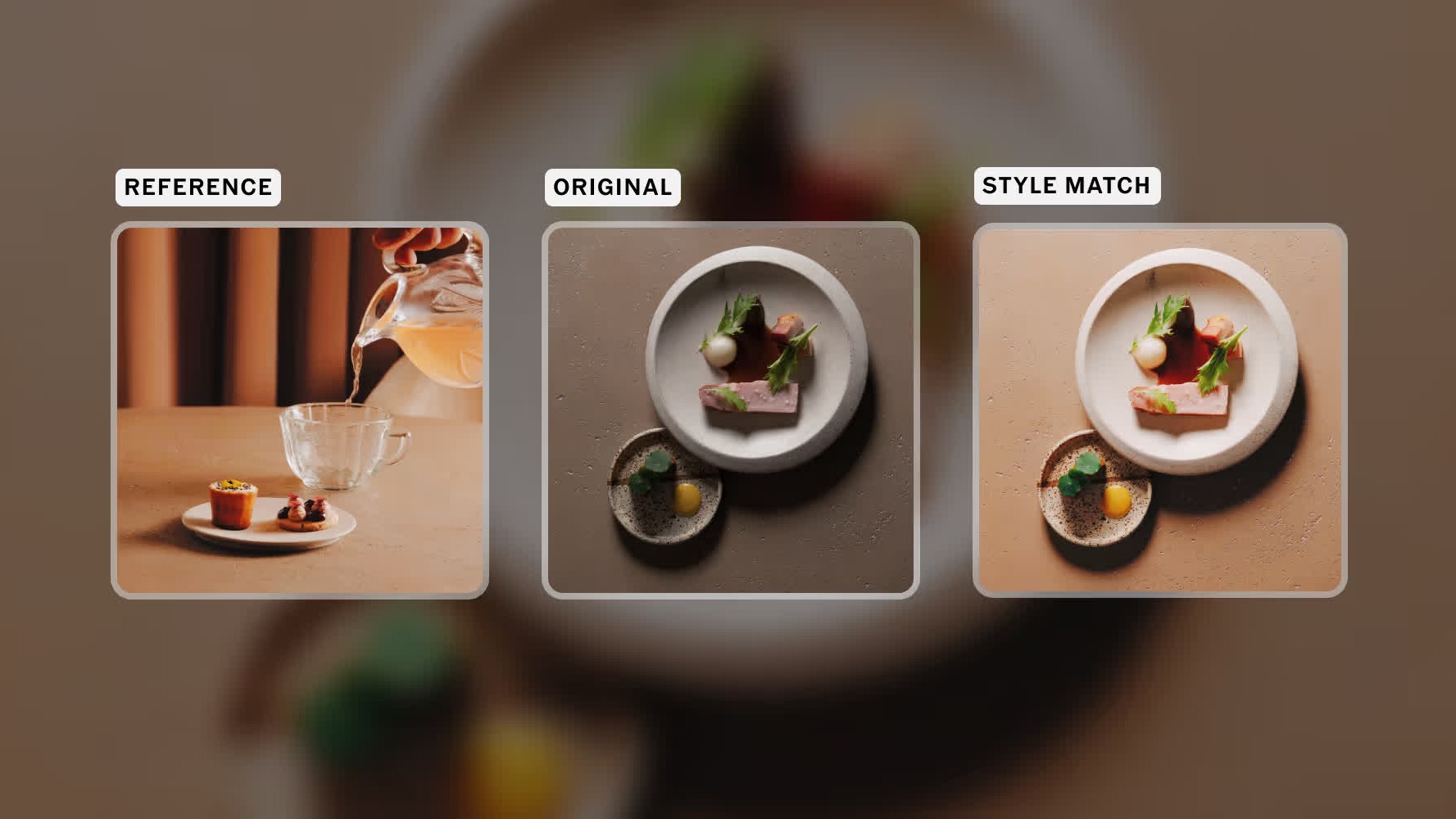
The second feature is more ambitious, and it uses AI. VSCO calls it Style Match. You feed the app a reference photo. It then analyzes that image’s color, tone, and mood. Next, it recreates the look using a tailored mix of presets and tools. The source can be your own past edit, a client brief, or simply a photo you admire. After that, you apply the result to one image or to 100. The featured comparison above shows the effect. A flat “original” shifts to match a warmer “reference.” In short, it is preset-building by example, automated like other AI editing tools.
What VSCO Studio Pro costs, and what is missing
Here the skeptical notes begin. Studio Pro is free to install, but the full toolkit is not. VSCO charges $13 a month or $80 a year for the complete app. A wider Studio One bundle, which packages more VSCO tools, arrives later in June at $499 a year. The feature set also has real gaps. By Engadget’s account, the app currently lacks crop and curves. Those are basic controls in Lightroom and Photoshop. So “studio-grade” reads as the goal here, not yet a finished claim. The app is iOS-only too. VSCO says a Mac version is “coming soon,” but it gives no date.

This is not the regular VSCO app
One point is worth clearing up. Studio Pro is a separate app, not a VSCO update. The flagship VSCO app stays a broad creative platform, with editing, community, and portfolios. Studio Pro instead targets one job: professional editing at scale. So you can run both. You might cull and batch-process a shoot in Studio Pro, then post finals through the main app. VSCO also keeps the familiar pieces here, including its 200-plus presets and manual controls. In effect, it is the VSCO look applied to a faster, higher-volume workflow.
A bet on speed over breadth
Studio Pro is clearly a first release, and VSCO admits as much. It calls the app the start of a faster, AI-driven editing line. The strategy is interesting. Rather than chase Lightroom’s depth, VSCO is racing on throughput and its 200-plus signature presets. Still, one question stays open. Will photographers trust an AI to set their signature look? For now, the pitch is at least concrete, and the demo is shipping today. Like other apps folding AI into photo editing, Studio Pro will be judged on the edits, not the marketing. The first 100-photo test will tell the story.