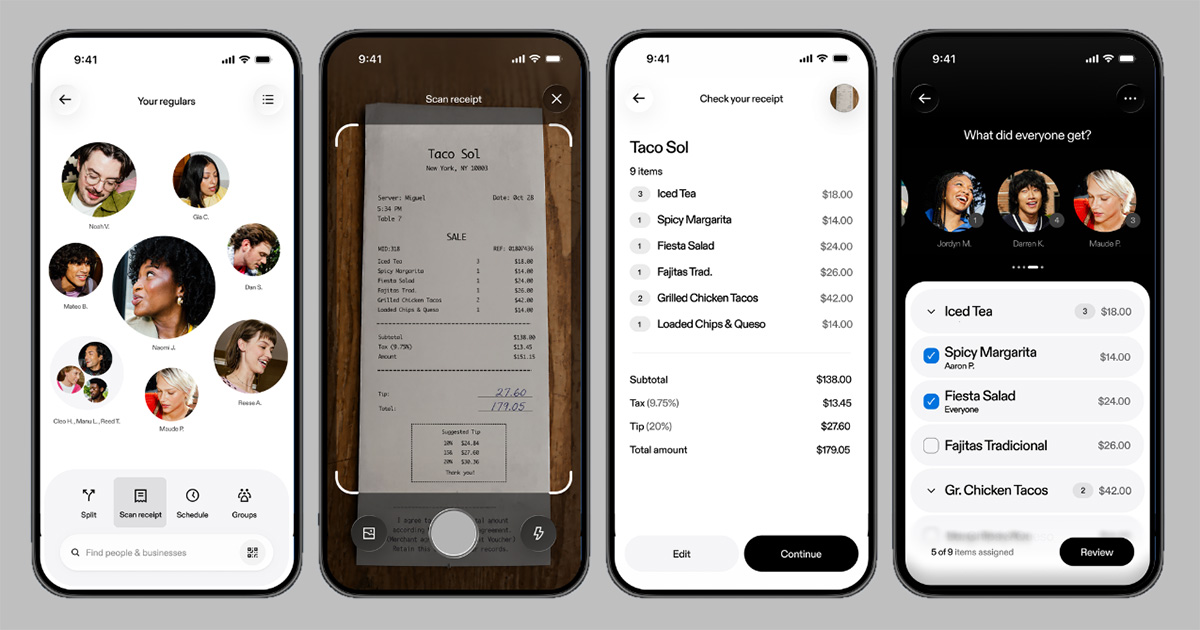
Venmo receipt scanning is starting to roll out on November 9. It lets users turn a photographed bill into payment requests for individual items. In its announcement, Venmo says the feature identifies receipt items. The person organizing the split assigns them to friends. Venmo then adds each person’s share of tax and tip.
The change gives people a way to divide a single bill according to what each person ordered. A group can assign dessert to the people who ate it. One friend can cover a round of drinks while everyone splits the rest. Venmo says the process stays inside its app. It works regardless of the mobile devices people in the group use.
How to scan and split a receipt
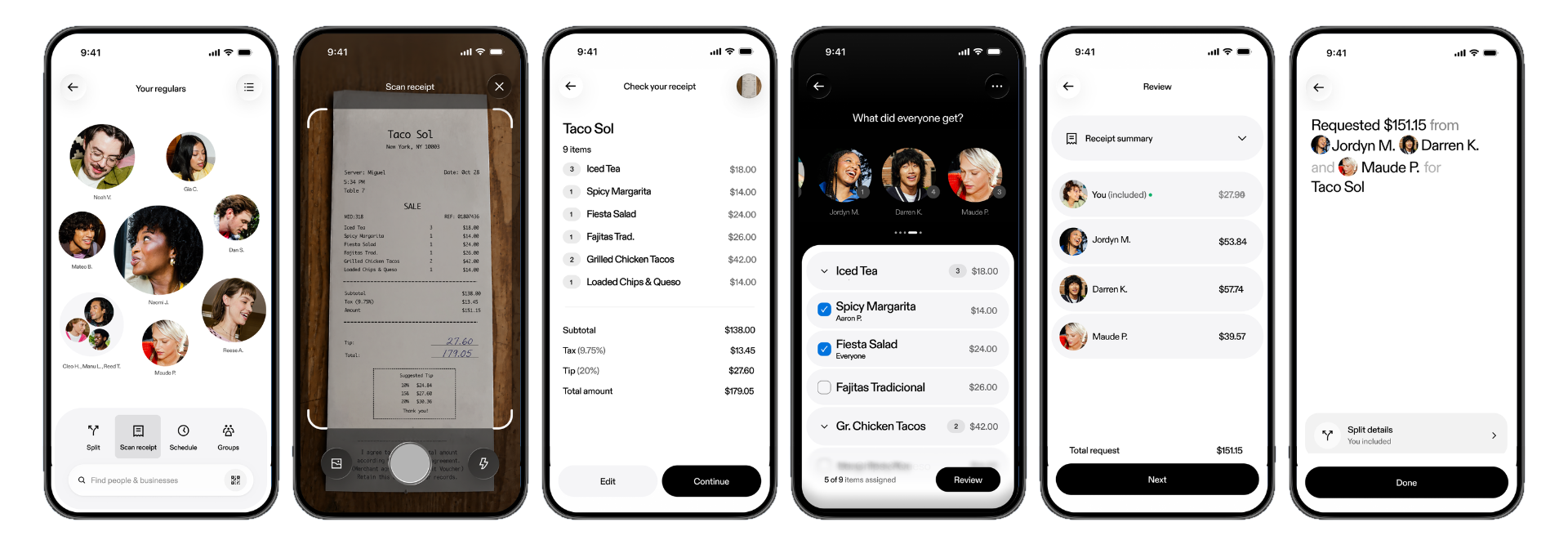
From the Venmo home screen, tap the V used to start a payment, then select Scan receipt. Users can take a new photo or upload an existing receipt image. According to Venmo, the app then itemizes the bill automatically.
Next, choose who owes what. Match the items to the people who ordered them, then adjust the assignments as needed. Venmo then calculates each person’s tax and tip share and sends payment requests. The announcement describes a request-based process; it does not say scanning a receipt automatically collects money from friends.

Wider availability is coming in the next few weeks
Venmo says receipt scanning will be widely available in the coming weeks. That means some users may not see the option on launch day. The announcement does not specify a minimum app version, a separate feature price or a country-by-country rollout schedule.
For ongoing shared expenses, Venmo points users to its existing Groups feature. That keeps shared spending together over time, including household costs and expenses from a trip. Receipt scanning handles the items on a single receipt. Meanwhile, Groups provides a place to track shared costs and settle up.
The practical addition connects the receipt to the payment requests. Users decide how to assign the purchases. Venmo then sorts the bill into items and calculates tax and tip.