Partner Content: This AI camera control tools guide was sponsored by invideo, which also provided Tech My Money with platform access. Our editors independently checked and revised the supplied material for accuracy. Paid links use sponsored and nofollow attributes.
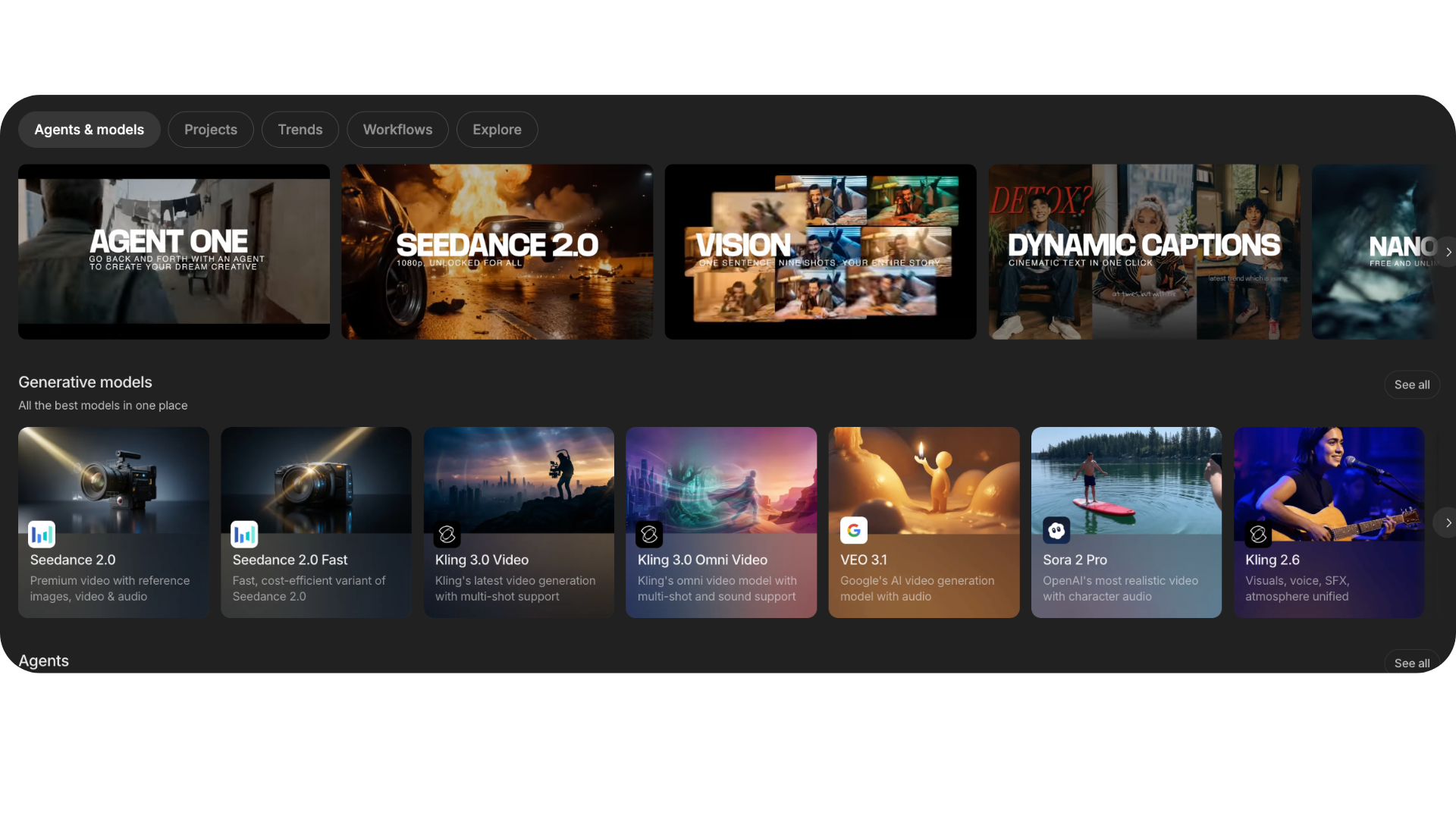
AI camera control tools now solve two very different production problems. Some direct a virtual camera inside generated footage. Others move a physical camera through a real set. For example, invideo brings more than 200 AI models into one workspace, while robotic systems from EVS, XD Motion, and Motorized Precision control real hardware. This guide compares both lanes.
That distinction matters because the word “control” can be misleading. A prompt can request a dolly-in, yet the model still interprets the move probabilistically. Meanwhile, a robotic arm can repeat a programmed path with mechanical precision. Therefore, the best option depends on whether you need speed, repeatability, physical accuracy, or an accessible creative workflow.
Prices and product availability were checked on August 12, 2026. However, credit costs and enterprise quotes can change, so confirm the current terms before committing a production.
AI camera control tools compared
| Tool | Best for | Control method | Starting price |
|---|---|---|---|
| invideo agent | Multi-shot AI video workflows | Agent-led planning across 200+ models | $17/month, billed annually |
| MRMC LiveTrack AI | Supported existing Cinebot installations | Computer-vision tracking with programmed robot moves | Verify support and availability |
| EVS ARCAM / IO.BOT | Centralized broadcast robotics | Six-axis arms, PTZ control, and optional beaconless tracking | Custom quote |
| Motorized Precision KIRA | High-speed repeatable cinema moves | Portable six-axis motion-control robot | Custom quote |
| EVS T-Motion | Remote studio camera operation | Robotic pan-and-tilt heads and control panels | Custom quote |
| Moonvalley Marey | Directing a camera through a reconstructed 3D scene | Camera control from a source image | $14.99/month |
| Luma Ray3.14 | Fast, coherent generated motion | Prompted video generation and editing workflows | Credit-based |
| Vidu Q3 | Camera pacing and reference-led motion | Frame-level camera direction and motion references | Trial credits; paid plans vary |
| World Labs Marble | Exact camera paths through generated 3D worlds | Keyframed camera inside a persistent world | Free; paid plans from $20/month |
| PixVerse V6 | Short multi-shot AI video with camera direction | Prompt, reference, transition, and extension workflows | Credit-based |
1. invideo agent
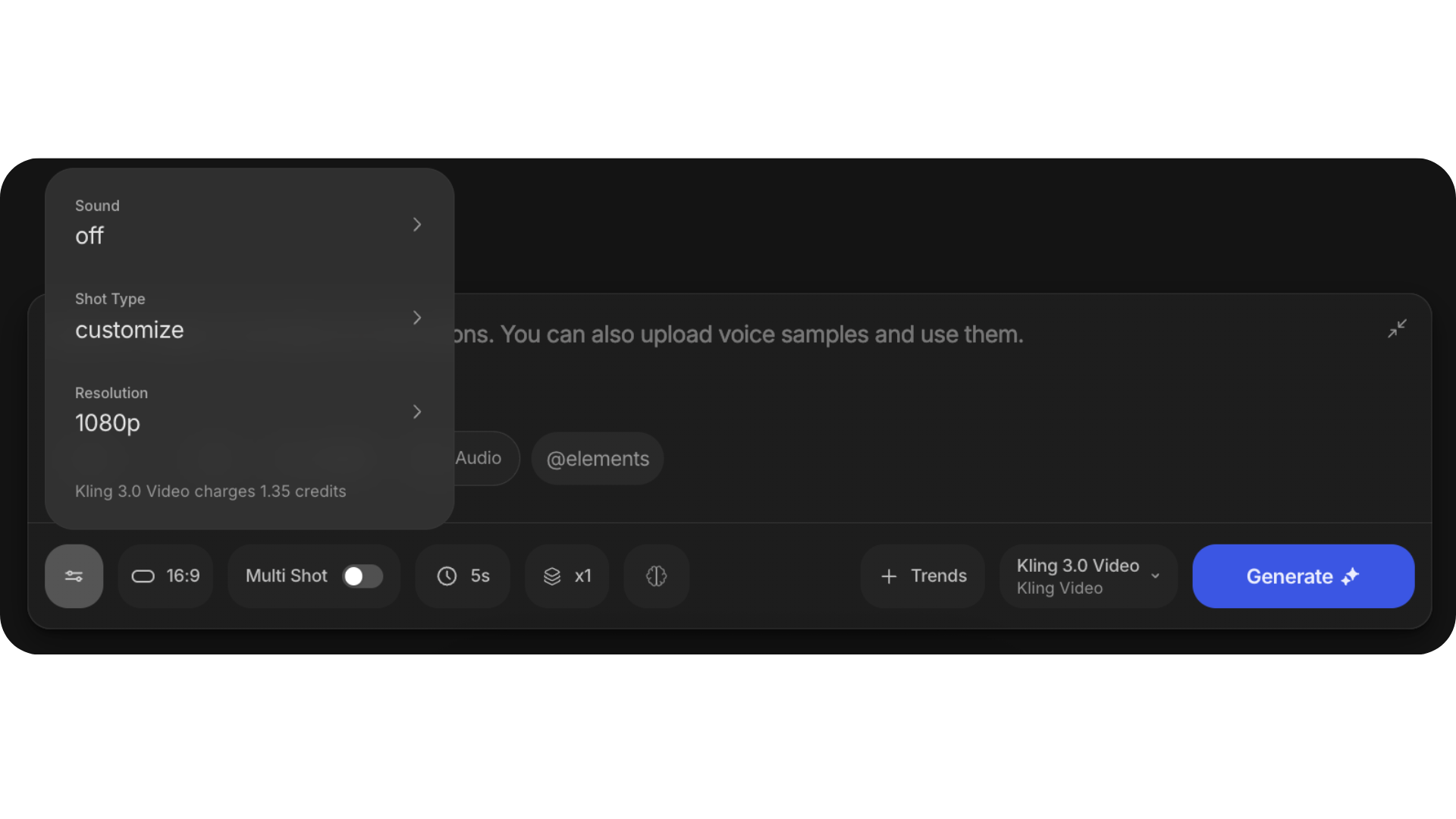
invideo agent works best when camera direction belongs inside a larger production brief. The platform can route work across more than 200 video, image, and audio models. That list currently includes Seedance 2.0, Veo 3.1, Kling 3, and other specialized generators.
Instead of opening every model separately, a creator can keep the script, references, shot intent, and output plan inside one workspace. Consequently, invideo is less about deterministic camera coordinates and more about maintaining creative direction across a multi-shot sequence. That workflow can save time when a project needs several models.

Best for: creators who want an agent to coordinate multi-shot AI video production.
Limit: it controls generated footage, not physical camera hardware. Also, new users should review model and credit settings before launching a large job.
Pricing: the Plus plan starts at $17 per month when billed annually. Credit allowances vary by tier and model.
2. MRMC Cinebot with LiveTrack AI
MRMC’s Flair software combines programmed robotic movement with LiveTrack AI. The computer-vision system watches the camera feed and keeps a moving subject framed. At the same time, Flair preserves the planned character of the robot move.
However, buyers need an important status check. MRMC’s official site says Mark Roberts Motion Control Ltd entered liquidation on May 22, 2026. Therefore, this entry makes the most sense for supported existing installations. New buyers should confirm current sales, service, parts, and licensing directly before planning around it.
Best for: productions that already operate compatible MRMC robotics and need automated subject tracking.
Limit: current commercial support and availability require direct verification.
Pricing: historically custom quoted.
3. EVS ARCAM with IO.BOT
ARCAM and IO.BOT target broadcast, live production, and virtual studios. IO.BOT can centralize up to 16 robotic devices, including ARCAM arms, PTZ cameras, towers, tracks, and remote heads. Additionally, the ecosystem supports connections to 3D engines and automation systems.
An optional tracking integration adds beaconless subject tracking. Still, this remains an enterprise robotics platform rather than a creator subscription. Teams should evaluate installation, safety, camera payloads, operator training, and integration costs together.
Best for: a control room managing several robotic cameras from one interface.
Limit: deployment complexity and total cost exceed typical small-studio needs.
Pricing: custom quote.
4. Motorized Precision KIRA
Motorized Precision KIRA is a six-axis cinema robot built for fast, repeatable moves. The company lists a 6-foot-7-inch reach and a 35-pound payload. It also pairs the arm with MP Studio Pro for motion programming.
KIRA fits commercials, music videos, tabletop work, and controlled studio shoots where every take must follow the same path. However, “portable” remains relative. The system needs production power, trained operators, safe working space, and appropriate transport.
Best for: high-speed product, commercial, and visual-effects shots that require repeatability.
Limit: the hardware, power, logistics, and safety plan make it a professional-production tool.
Pricing: custom quote.
5. EVS T-Motion
EVS T-Motion covers robotic camera heads and remote-control systems for broadcast environments. Its current S5 pan-and-tilt heads emphasize smooth movement, repeatability, and remote operation. Therefore, one operator can manage several fixed studio cameras without placing a person behind every unit.
The system suits newsrooms, sports studios, houses of worship, and other controlled venues. By contrast, it is less useful for creators who need location flexibility or generative video.
Best for: permanent studios that need reliable remote camera movement.
Limit: it centers on installed broadcast infrastructure.
Pricing: custom quote.
6. Moonvalley Marey
Moonvalley Marey turns a source image into a 3D-aware scene that a filmmaker can direct. Specifically, its camera-control workflow lets the user explore camera movement instead of relying only on a text description. Marey also offers motion transfer and trajectory tools for objects or characters.
That control gives directors a more visual way to plan a generated shot. However, it does not make the output deterministic like a physical motion-control robot. The creator still needs to review every generated result.
Best for: filmmakers who want to direct camera movement from a visual source.
Limit: Moonvalley does not offer a free plan, and generation credits can limit experimentation.
Pricing: Standard starts at $14.99 per month with 100 credits.
7. Luma Ray3.14
Luma Ray3.14 focuses on coherent motion, realistic detail, and logical event sequences. That makes it useful when a prompt needs a moving viewpoint that still feels grounded. Luma also supports video-to-video, reframing, and related production workflows through its current platform and API.
Nevertheless, Ray3.14 should not be confused with a keyframed 3D camera. A creator describes and guides the result, while the model interprets the requested movement. Therefore, complex scenes still need testing and reruns.
Best for: generated shots where believable movement matters more than exact coordinates.
Limit: prompt interpretation can drift during busy motion or complicated interactions.
Pricing: credit-based plans and API usage pricing.
8. Vidu Q3
Vidu Q3 supports detailed control over camera language and pacing. It can generate clips up to 16 seconds with native audio. Meanwhile, Vidu’s separate Motion Control workflow uses a reference video and character image to guide action and rhythm.
This reference-led approach helps when a movement is difficult to describe. However, it still estimates the final motion. Teams should treat it as a fast creative draft, not as a mathematically exact replacement for keyframing.
Best for: short narrative scenes that need camera pacing, native audio, or reference-guided motion.
Limit: identity, pose, and direction can still vary between generations.
Pricing: new accounts receive trial credits; paid pricing appears inside the live plan selector.
9. World Labs Marble
World Labs Marble offers the most literal virtual camera on this list. It generates a persistent 3D world, then lets the creator place camera keyframes along a visible path. The timeline controls timing, while the 3D viewport controls position and field of view.
As a result, Marble provides geometric repeatability that normal text-to-video prompting cannot match. It works especially well for environments, virtual locations, and previsualization. Still, isolated character performance is not its central strength.

Best for: repeatable camera paths through a consistent generated environment.
Limit: world building takes more setup than generating one short clip.
Pricing: a free plan includes up to four world generations. Standard starts at $20 per month.
10. PixVerse V6
PixVerse V6 adds stronger camera execution, multi-shot generation, native audio, and reference-based workflows. Its official API documentation supports text-to-video, image-to-video, transitions, extensions, and reference-to-video generation. It also supports clips up to 15 seconds at 1080p.
In practice, V6 works best when the prompt states movement, pacing, subject priority, and scene geography clearly. However, PixVerse itself notes that precise directional control across complex spatial changes continues to evolve.
Best for: short ads, social clips, and multi-shot concepts that need visible camera direction.
Limit: complex action and large spatial changes can still create artifacts or direction drift.
Pricing: credit-based. V6 API credit use varies by duration, resolution, audio, and reference inputs.
Which AI camera control tool should you use?
Choose invideo agent when you want one workspace to coordinate a multi-model AI video. Choose Moonvalley Marey when you want visual camera direction from a still image. Meanwhile, World Labs Marble fits exact camera paths inside a persistent 3D world.
For reference-led movement, Vidu Q3 offers a fast route. For short cinematic generation, Luma Ray3.14 and PixVerse V6 provide broad creative workflows. However, none of those tools moves a real camera.
Physical production calls for a different shortlist. Motorized Precision KIRA targets repeatable cinema moves. EVS ARCAM with IO.BOT suits centralized robotic fleets, while EVS T-Motion fits installed broadcast studios. MRMC LiveTrack AI remains relevant to existing supported systems, but teams must verify the company’s current commercial status.
Tech My Money previously compared nine AI previz tools for filmmakers. We also covered the wider push toward creator-led systems in the Google DeepMind and A24 filmmaking partnership. Together, those developments show why camera control now stretches from early planning to final generation.
Frequently asked questions
What is the difference between robotic and generated camera control?
Robotic systems move a physical camera through real space. Generative systems create the appearance of camera movement inside synthetic footage. Therefore, robotics offers repeatable mechanics, while AI generation offers speed and creative flexibility.
Can AI video tools repeat the exact same camera path?
Usually not from a text prompt alone. World Labs Marble can keyframe a camera inside a 3D world, which improves repeatability. However, normal generative video remains probabilistic and may vary between runs.
Are robotic camera systems practical for small creators?
Most six-axis broadcast and cinema systems require custom quotes, trained operators, safety planning, and substantial space. Consequently, individual creators will usually find software tools more accessible.
Which tool is easiest for a multi-shot AI project?
invideo agent offers the broadest agent-led workflow in this group because it connects planning with more than 200 models. Still, creators should check model selection and credit estimates before starting a large generation.
Do any of these tools offer free access?
World Labs Marble has a free tier, while Vidu offers trial credits to new accounts. Other services use paid subscriptions, credits, API billing, or custom enterprise quotes. Always confirm the current plan before production.