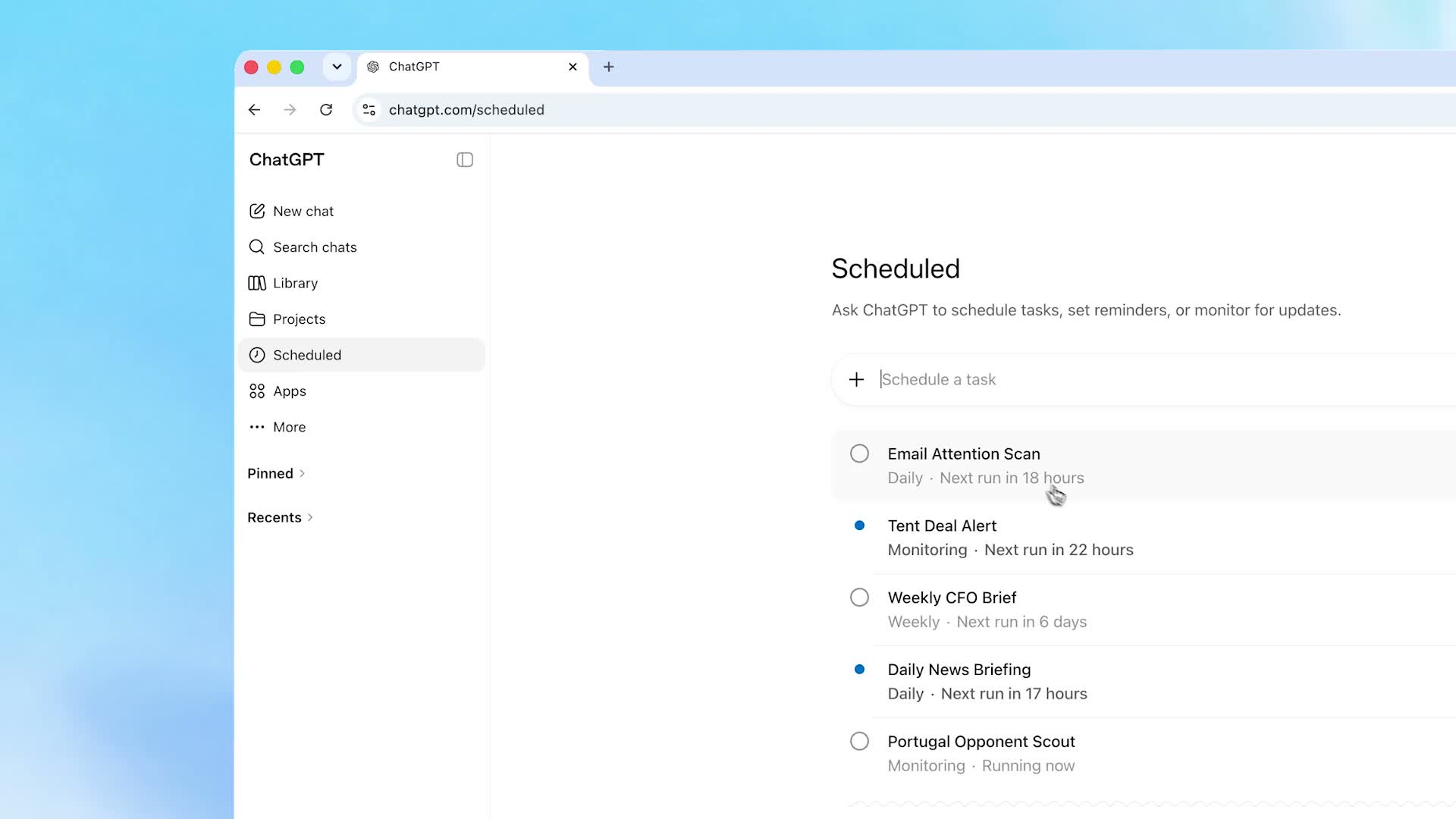
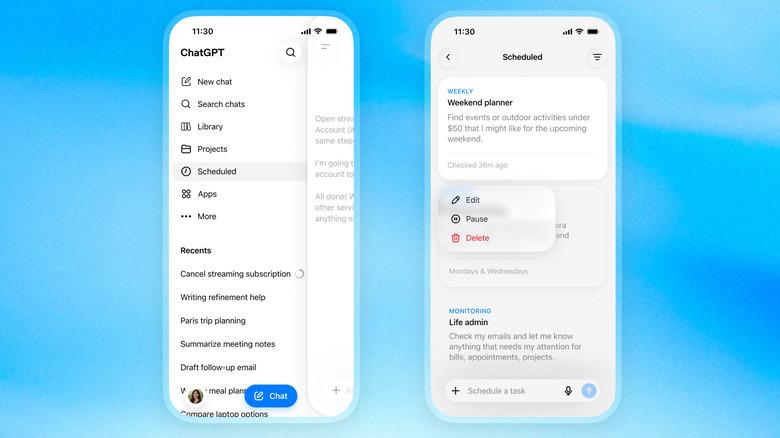
ChatGPT scheduled tasks finally have a proper home. OpenAI has added a dedicated Scheduled page to the ChatGPT sidebar. It gathers every task you have set into one view. From there, you can see when each one runs next, then pause, edit, or delete it. Previously, these tasks were scattered and easy to lose track of. Now they sit in a single dashboard. OpenAI also says the tasks themselves are “faster and more reliable.”
What ChatGPT scheduled tasks do
First, a quick refresher. Scheduled tasks let you ask ChatGPT to do something later, not just right now. For example, you might request a news briefing every morning. Alternatively, you could set a one-off reminder for next Tuesday. The assistant then runs that prompt on its own and delivers the result. In other words, it is ChatGPT acting on a timer rather than on demand.

Better timing and a cleaner dashboard
The new page is the headline change, but the timing controls improved too. Now you can schedule a task at an exact time. Otherwise, you can pick a looser window, such as morning, afternoon, or evening. Each task also shows its cadence and next run, like “Daily, next run in 18 hours.” As a result, recurring routines are easier to scan at a glance. OpenAI’s own demo walks through the full flow.

Tasks that watch the web for you
More notably, the update leans into monitoring. A scheduled task can now proactively search the web or your connected apps. Then it can alert you when something changes. Think of a price drop, a developing news topic, or an inbox that needs attention. So this pushes ChatGPT further toward an agent that works in the background. That power also raises the usual questions. Because tasks can reach into your email or connected accounts, security and permissions are worth watching. It also fits OpenAI’s broader push to make ChatGPT a do-everything assistant.
Who gets it
The rollout started on June 17. It is reaching Go, Plus, Pro, Business, and Enterprise users, on both web and mobile. Notably, OpenAI has not announced free-tier access. The update also retires Pulse, the feature that generated personalized daily summaries. That work now folds into scheduled tasks instead. For anyone already leaning on ChatGPT for routines, it is a small but practical upgrade.